Scenarios
Overview
A scenario is a high-level description of what you are testing. It consists of Steps that break down the scenario further, and Assertions that serve as validation criteria. A scenario can only be considered a success if it meets the validation criteria. Otherwise, it will be tagged as failed.
Create a new scenario
To create a new scenario, follow these steps:
-
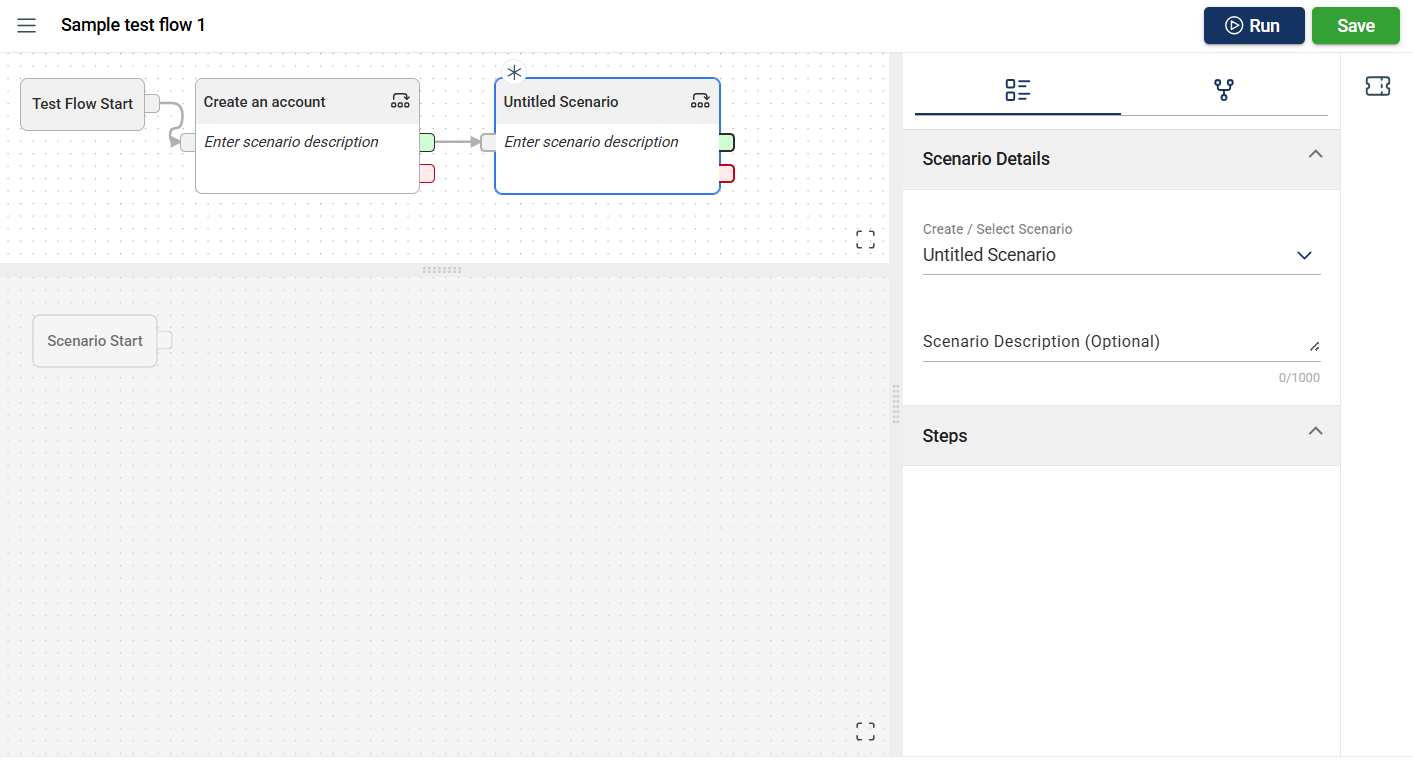
Add a new scenario node.
-
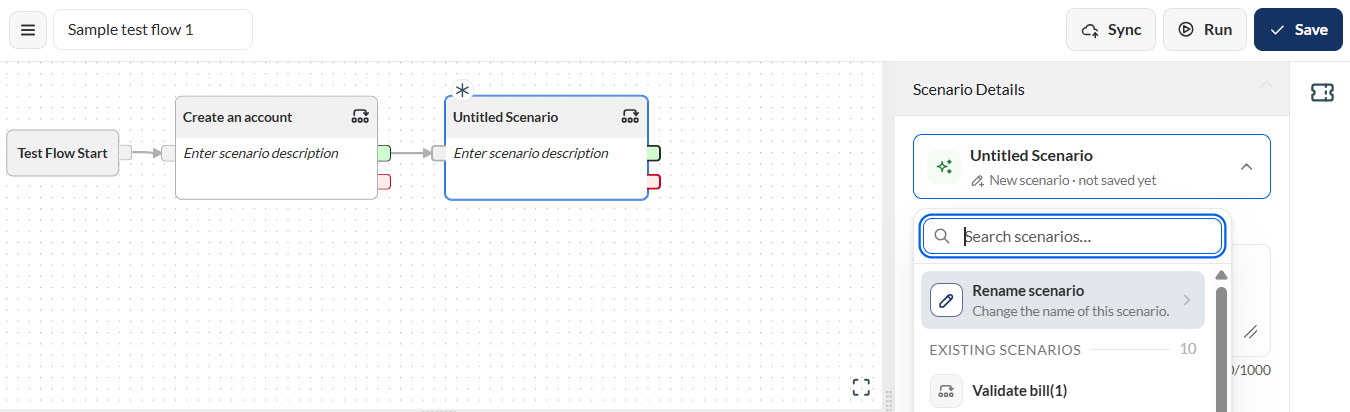
Rename the scenario.
-
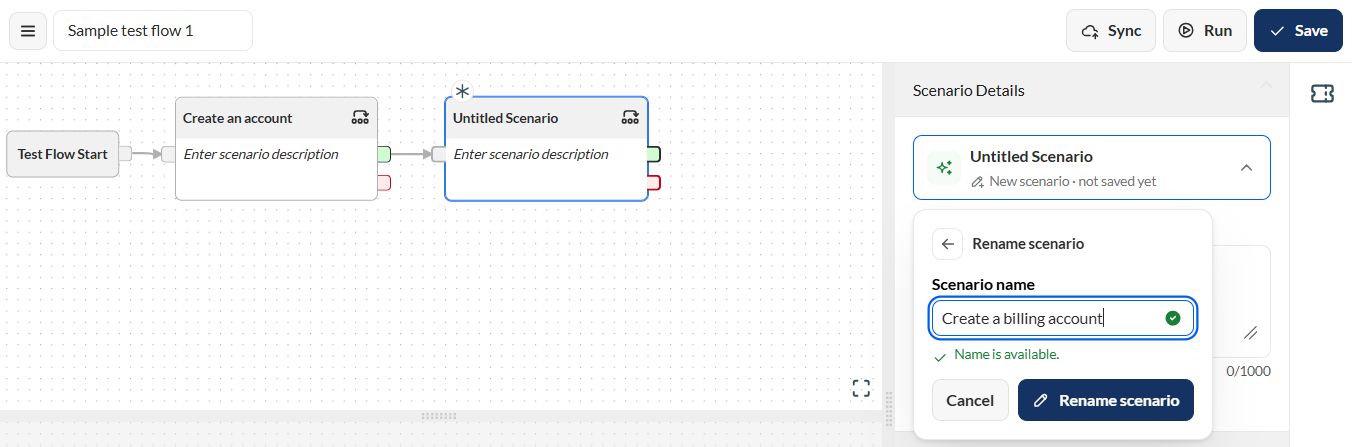
Enter a valid scenario name in the Scenario name field.
-
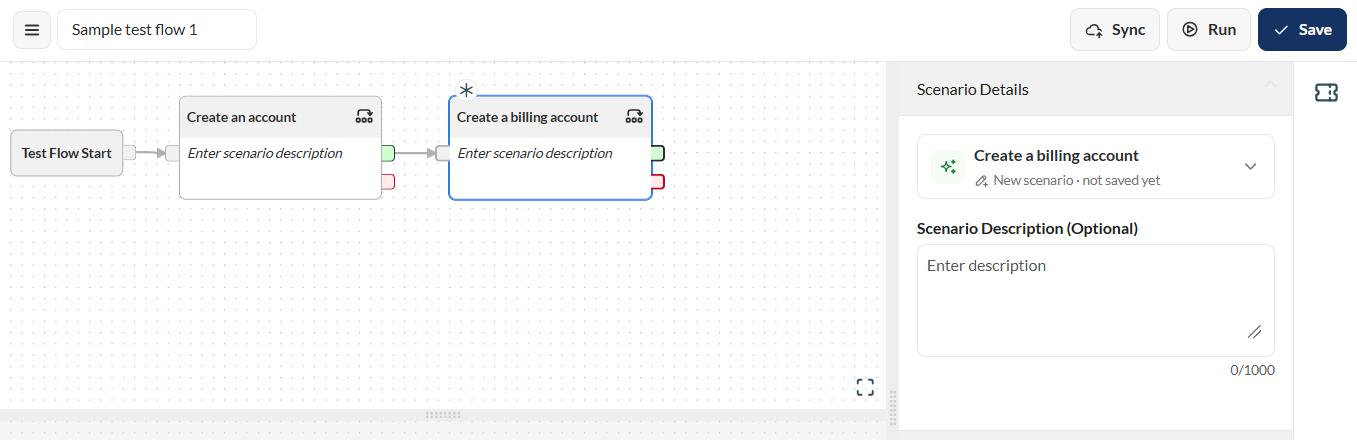
Click the Rename scenario button.
-
Optional. Add a description for your scenario.
To add steps and assertions to your scenario, see Create a Test Flow.
Clone a scenario
To clone a scenario, follow these steps:
-
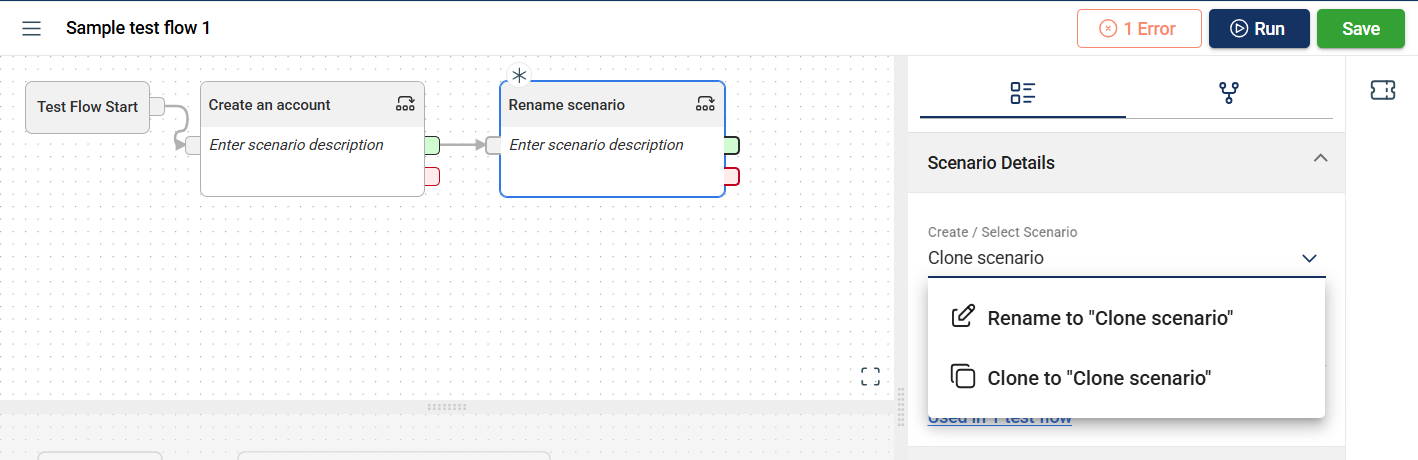
Select a scenario you wish to clone.
-
Click the scenario dropdown in the Scenario Details pane.
-
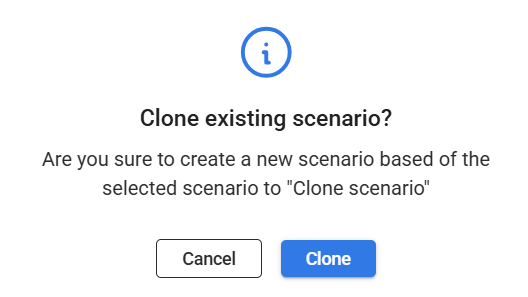
Select Create new from <name of the selected scenario>.
-
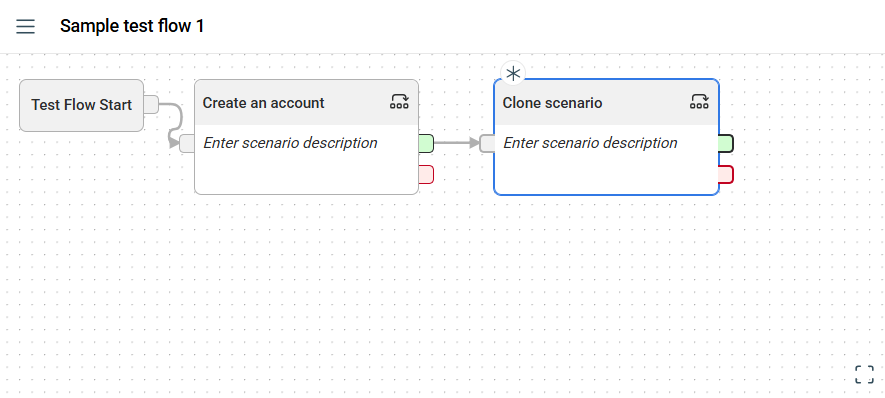
Enter a valid name in the Scenario name field.
-
Click the Create copy button.
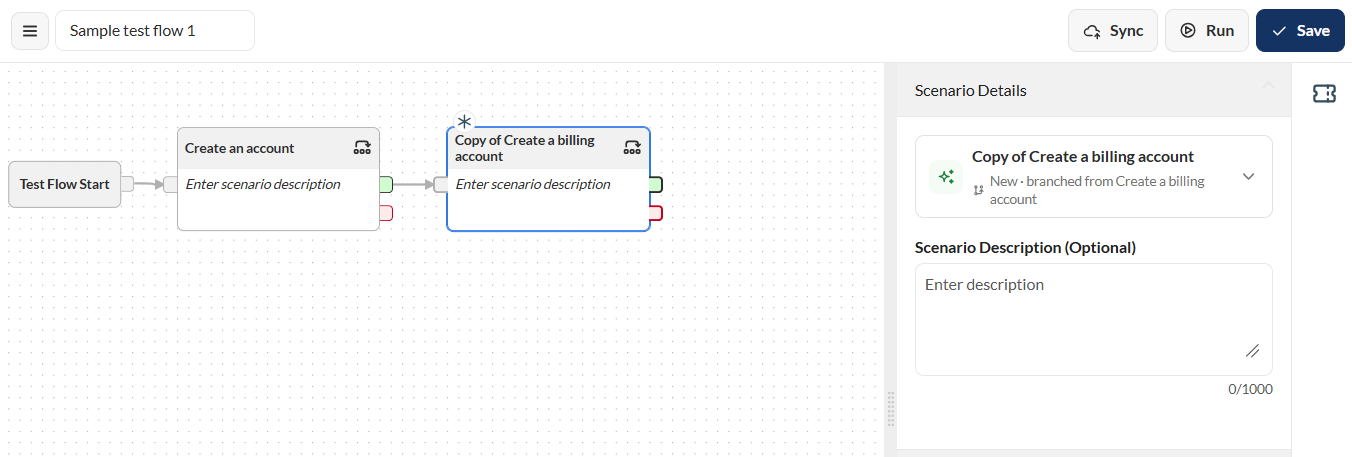
The cloned scenario replaces the older scenario.
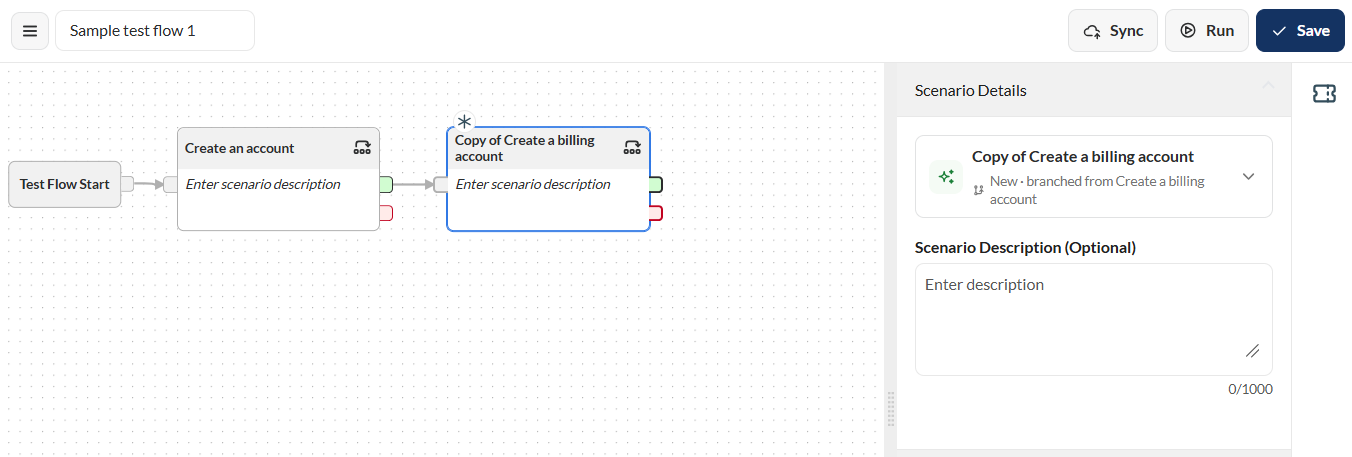
Delete a scenario
To delete a scenario, click the more options icon in the upper-right corner of the scenario box, then select the Remove icon from the menu.
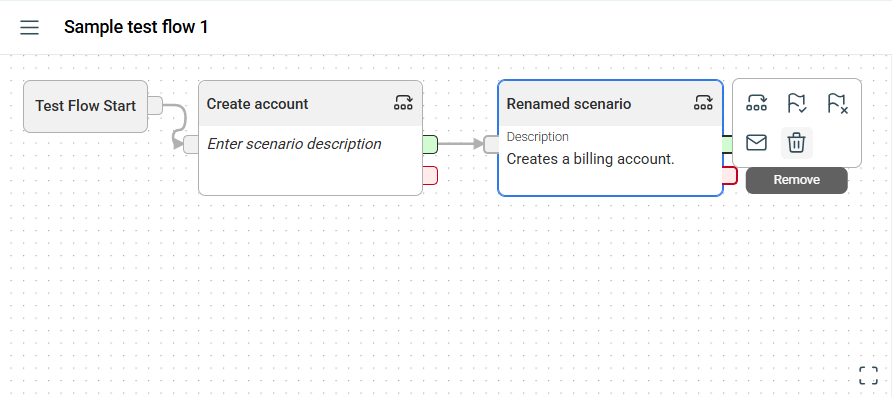
A prompt will ask whether to delete the scenario from this flow or from the entire version. Select your preferred option to continue.
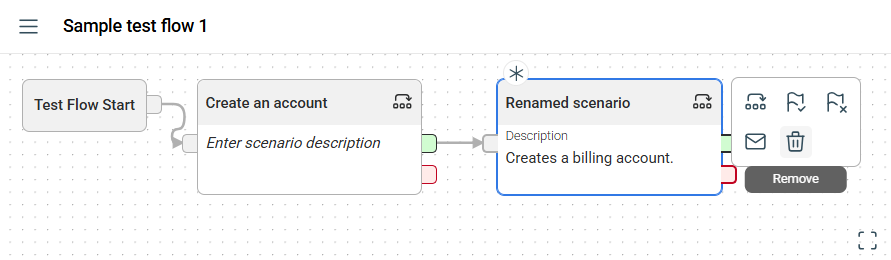
Delete from test flow
If you select Remove from test flow, the scenario is deleted only from the current flow. Other flows using the scenario remain unaffected. There is no confirmation prompt, so verify you have selected the correct scenario before proceeding.
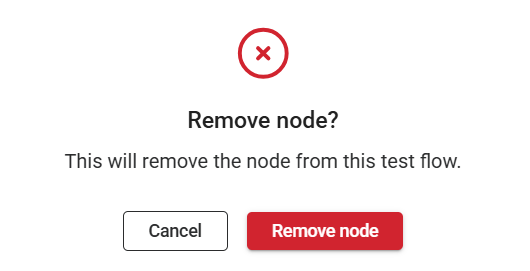
Delete scenario entirely
If you select Delete scenario entirely, the scenario is permanently removed from the version.
If the scenario is used in other flows, a pop-up will display all affected flows. You must delete the scenario from these flows before proceeding.
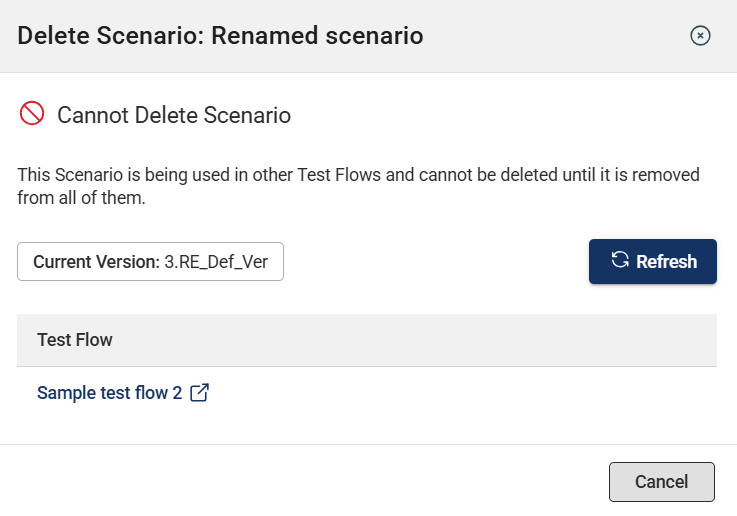
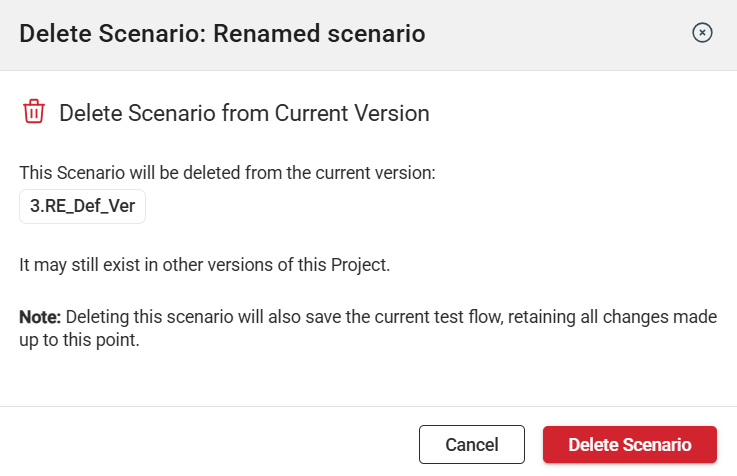
After deleting the scenario from all flows, you can now delete it entirely. A prompt specifying the version where it will be deleted is displayed.
Scenario usage
In the scenario usage tab, all the flows using the selected scenario node are displayed.
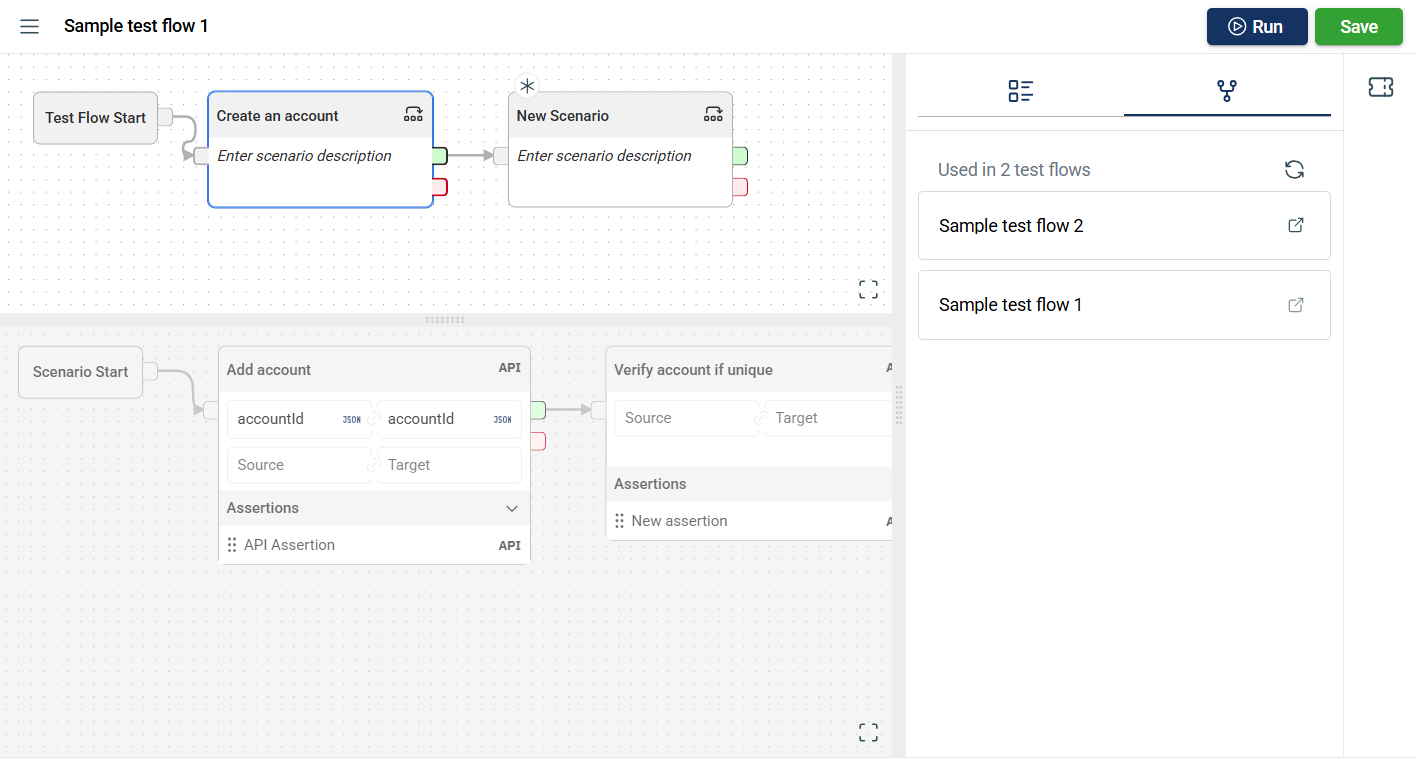
When the hyperlink is clicked, a new tab will open displaying the selected flow.