Overview
Overview
The Batch Dashboard provides an overview of the batch execution view, which details run performance metrics such as the number of passed and failed executions. For each execution, you can view the job parameters used to execute it.
The Batch Dashboard provides the same overview for the following batch jobs executed using the tool:
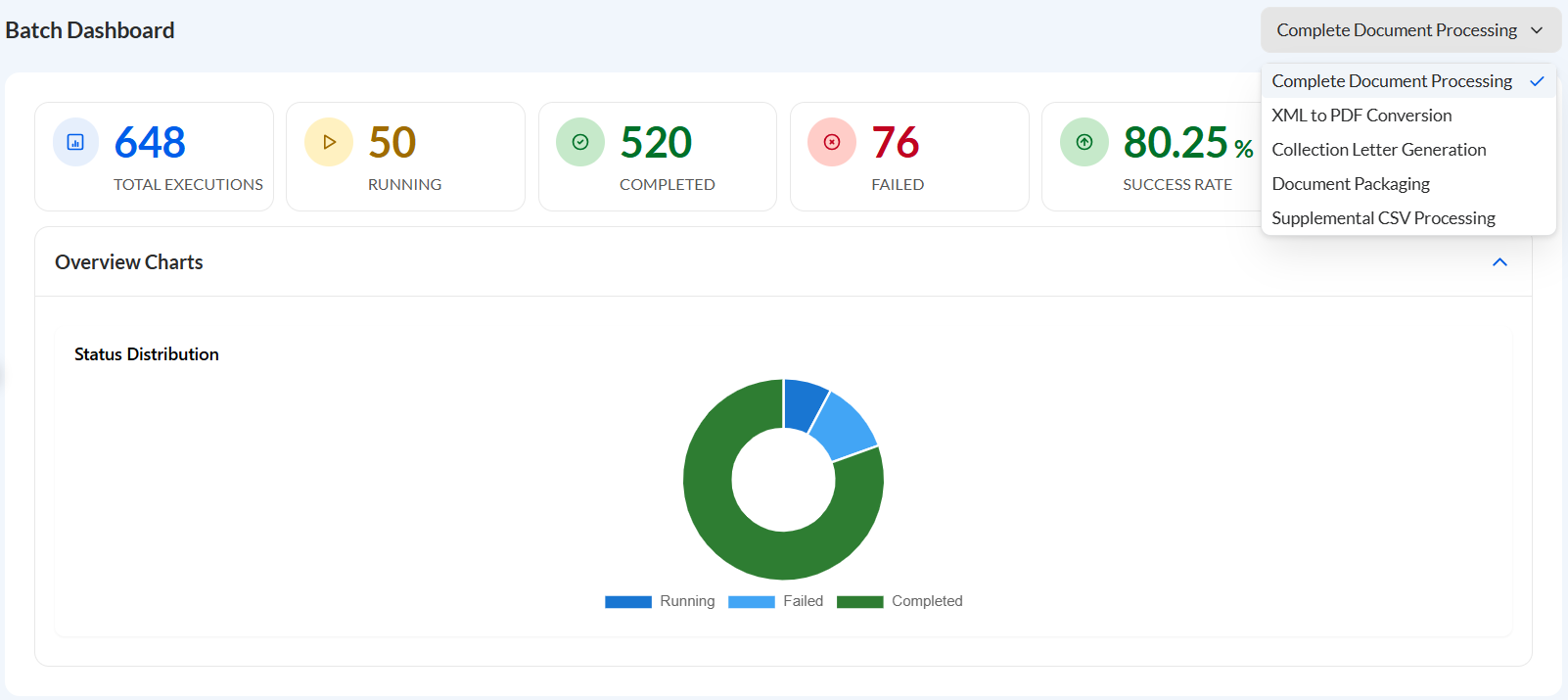
- Complete Document Processing — Performs end-to-end document processing by sequentially executing invoice processing, supplemental file processing, document packaging, and email delivery to recipients.
- XML to PDF Conversion — Processes invoice XML files and generates customer-specific PDF invoices with the required metadata.
- Collection Letter Generation — Processes collection letters in XML format and generates personalized PDF letters for delivery to recipients.
- Document Packaging — Compiles generated PDF invoices into email packages, determines the appropriate recipients, and sends or drafts the emails for distribution.
- Supplemental CSV Processing — Processes supplemental CSV files, splits them into individual customer records, and generates customer-specific supplemental CSV files.
Summary
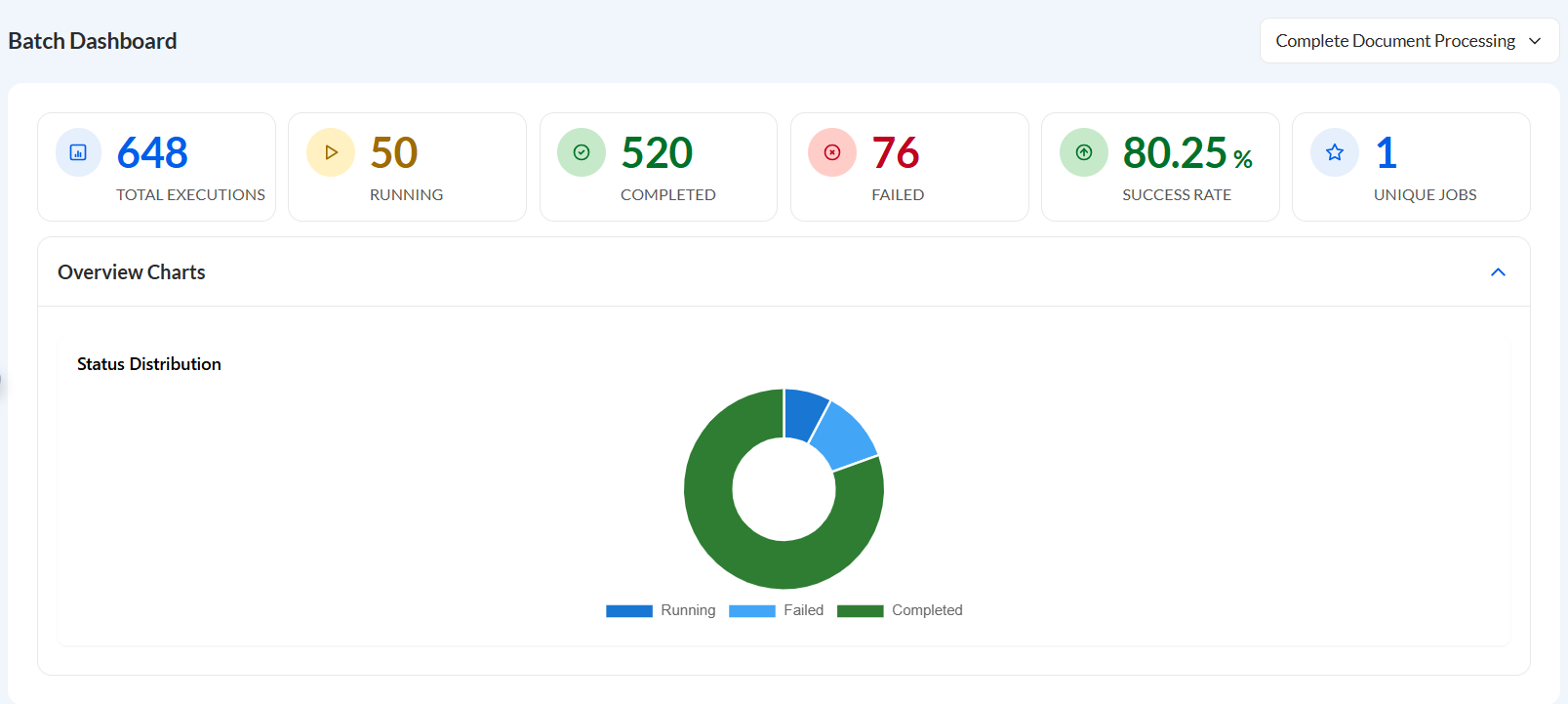
The following statistics are being displayed for each batch job:
| Statistic | Description |
| Total Executions | Total number of executions for a batch job. |
| Running | Number of running batch jobs. |
| Completed | Total number of completed executions. |
| Failed | Total number of failed executions. |
| Success Rate | Percentage of the number of completed executions over the total number of executions. |
| Unique Jobs | Number of unique jobs. |
This section also provides an overview chart displaying the visual distribution of the executions based on their status.
Executions
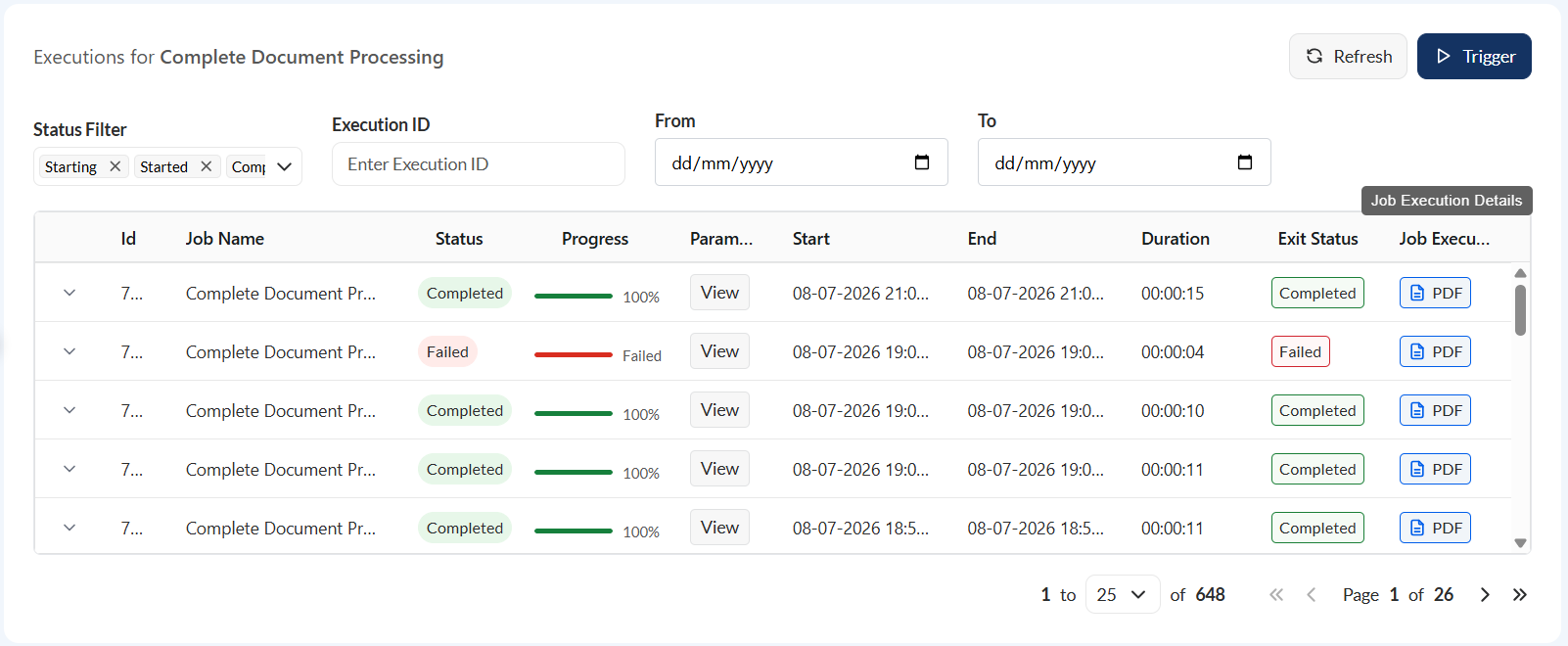
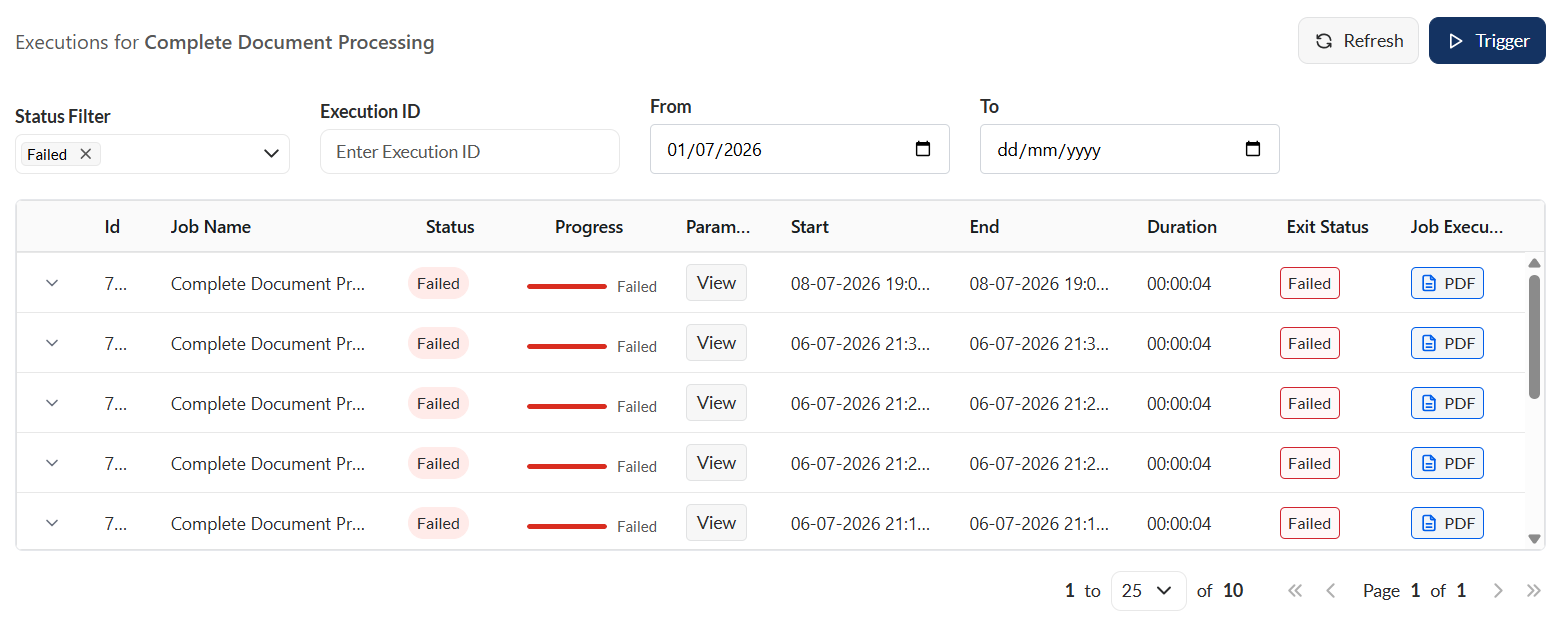
This section lists all executions triggered for a particular job.
| Field | Description |
|---|---|
| Id | Unique identifier assigned to the job execution instance. |
| Job Name | Name of the job being executed. |
| Status | Current state of the job. |
| Progress | Execution progress of the job displayed as a percentage. |
| Parameters | Input parameters or configuration values used when the job was started. For more information, see Parameters. |
| Start | Date and time when the job execution began. |
| End | Date and time when the job execution finished. Blank if the job is still running. |
| Duration | Total elapsed time from the job start to completion or the current elapsed time if still running. |
| Exit Status | Final execution result indicating whether the job completed successfully or ended with an error. |
| Job Execution Details | Detailed information about the execution. For more information, see Job Execution Details. |
Trigger
Executions can be triggered in this section of this module. A set of default parameters are already available allowing you to execute the job on the spot. You can also modify any parameter, if needed.
When a job is triggered, a live execution window is displayed:
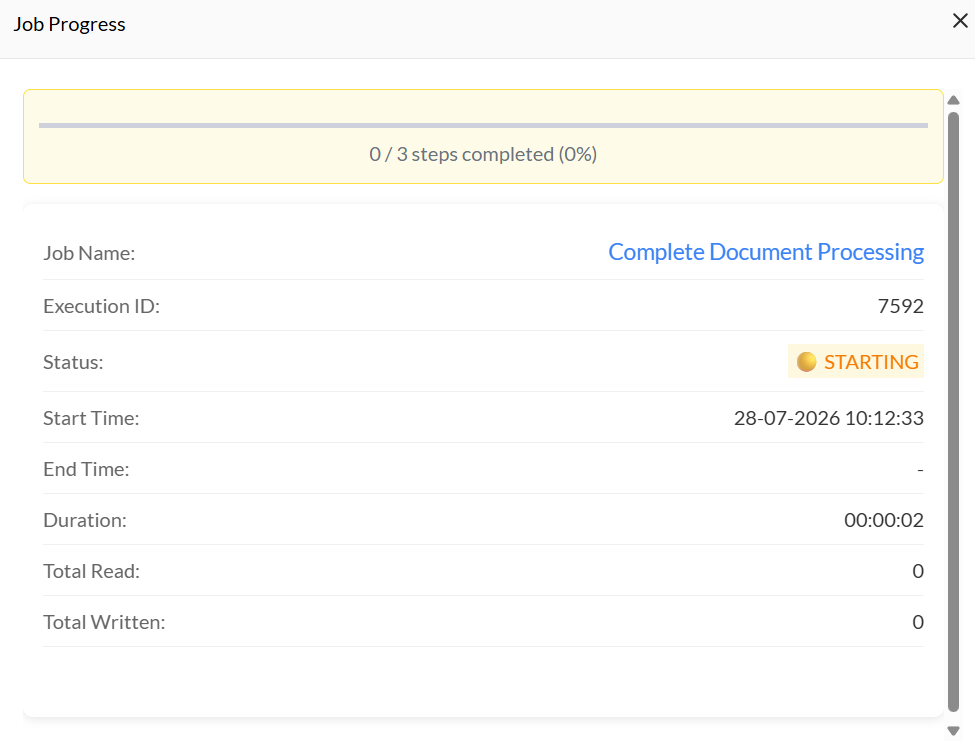
For more information on the trigger configurations, see:
- Complete Document Processing
- XML to PDF Conversion
- Collection Letter Generation
- Document Packaging
- Supplemental CSV Processing
Parameters
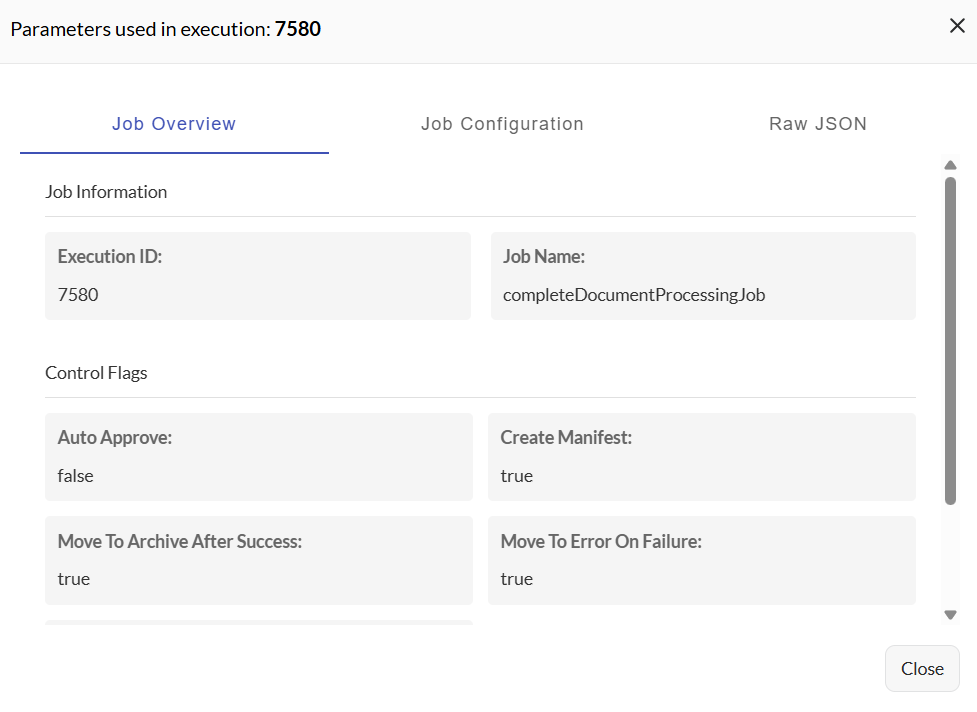
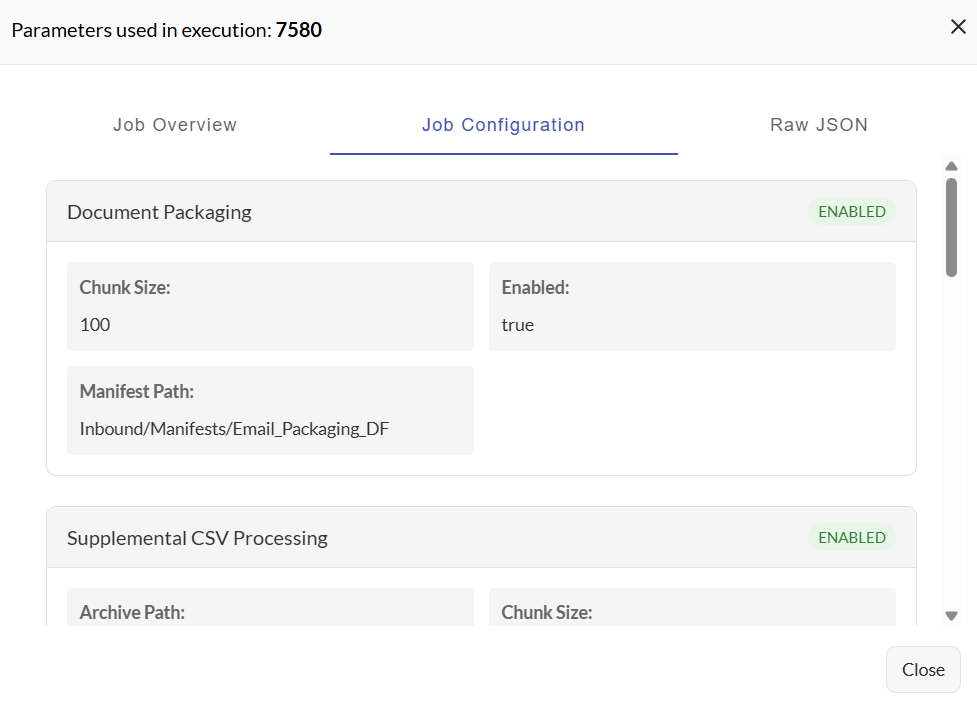
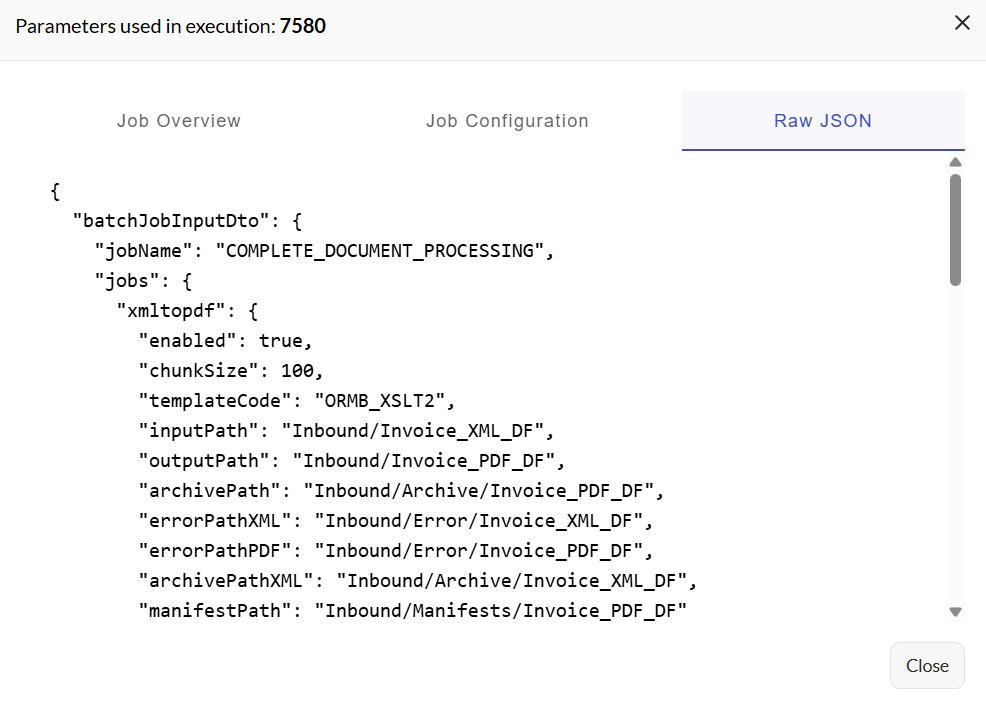
In the Executions table, there is a Parameters column displaying a View button. When clicked, the following are displayed:
- Job Details — Displays basic information about the executed job, such as its execution id, name, and control flags.
- Job configurations — Shows the configuration settings used when the job was executed.
- Raw JSON — Displays the complete execution data in raw JSON format.
Job execution details
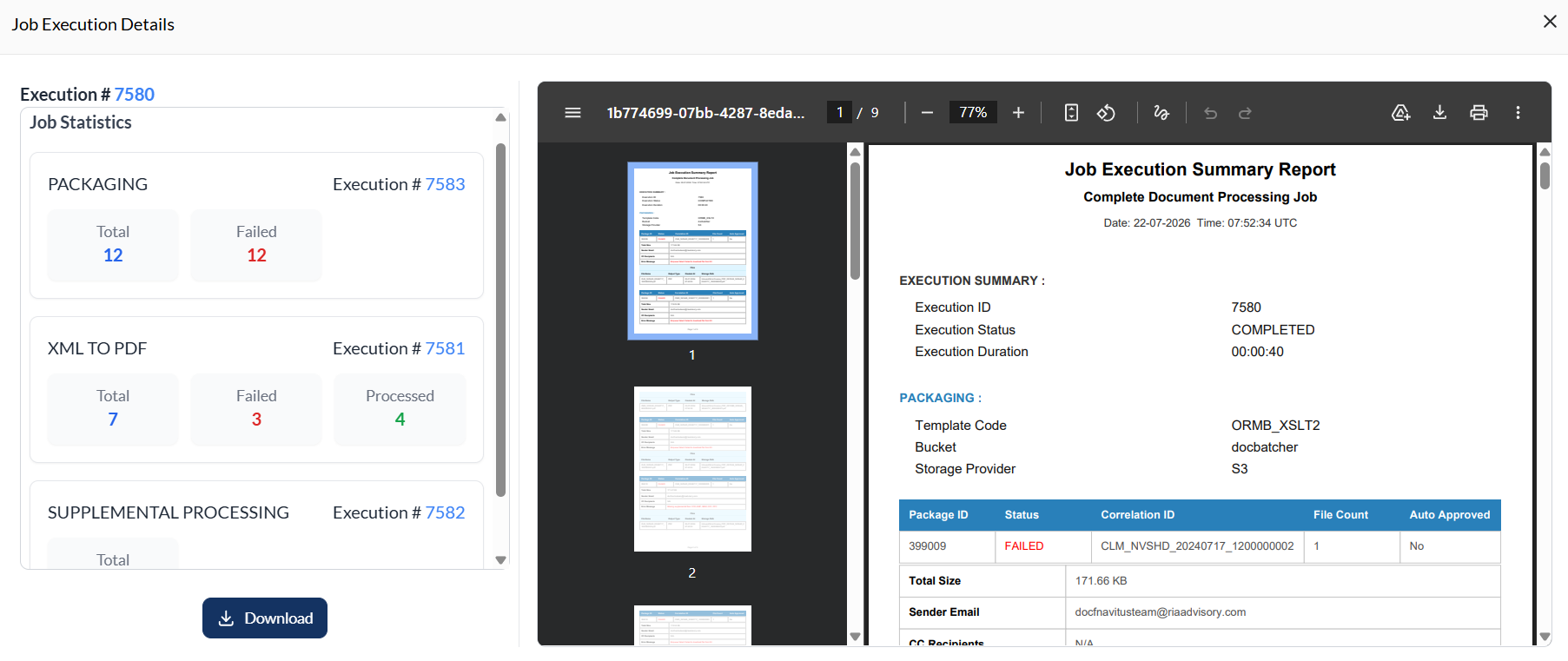
In the Executions table, there is a Job Execution Details column displaying a PDF button. When clicked, a job execution overview is displayed on the left and a detailed report on the right.
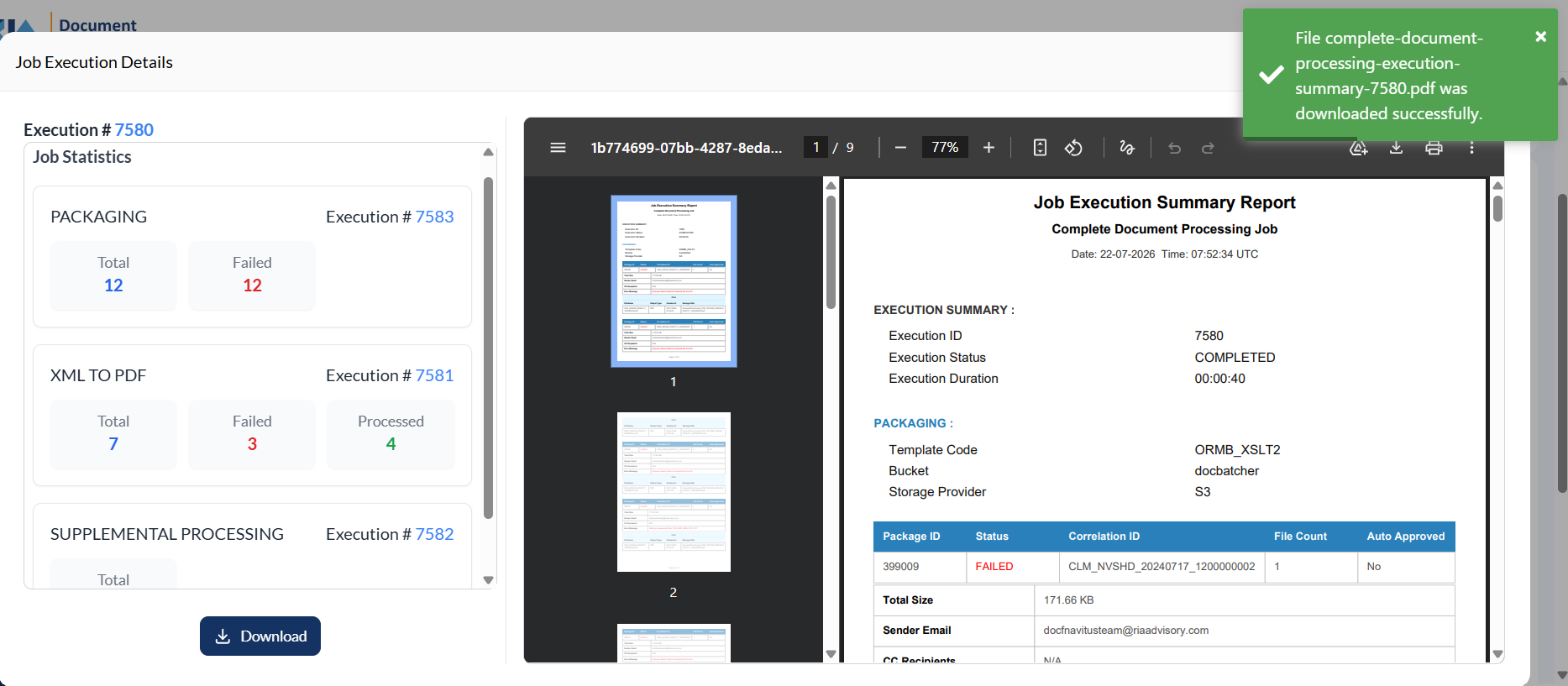
You can also download the report in PDF by clicking the Download button.
Filter
You can also filter the list by specifying tohe status and the date o execution.
Recent Executions
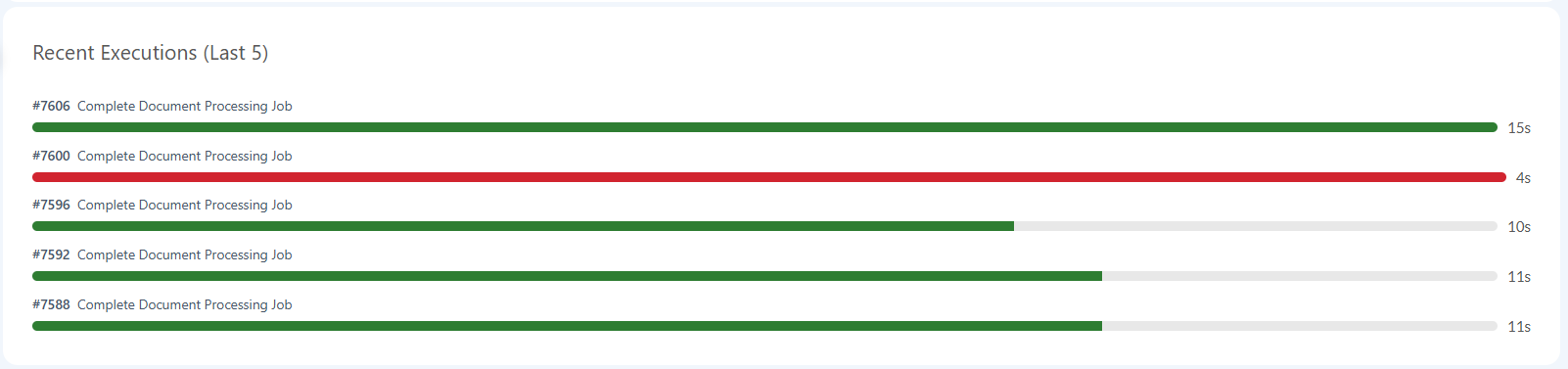
Lists the last 5 execution for a particular job. It displays the Job ID and the Job Name. It also displays the duration of the execution in seconds with a color-coded bar descrbing the status of execution, green for successful and red for failed executions.