Document packaging
Overview
The Document Packaging job packages each invoice PDF with its related supplemental CSV files from the XML-to-PDF and Supplemental CSV Processing jobs and sends them via Outlook.
Trigger a job
Ensure that the input file are uploaded to the specified path in the Input Path field in the Trigger configurations.
To trigger a complete document processing job, follow these steps:
- Navigate to the Batch Dashboard module.
- On the upper right corner, select
Document Packagingfrom the dropdown list. - Click the Trigger button in the Executions section.
- In the Trigger Job popup window, enter valid values to the mandatory trigger configurations.
- Click the Trigger button.
When a job is triggered, a live execution window is displayed:
Once the execution is completed, the job will be listed in the Executions table. The output file is stored in the specified Output Path in the Trigger configurations.
Trigger configurations
The following parameters are mandatory when triggering this job:
XML to PDF
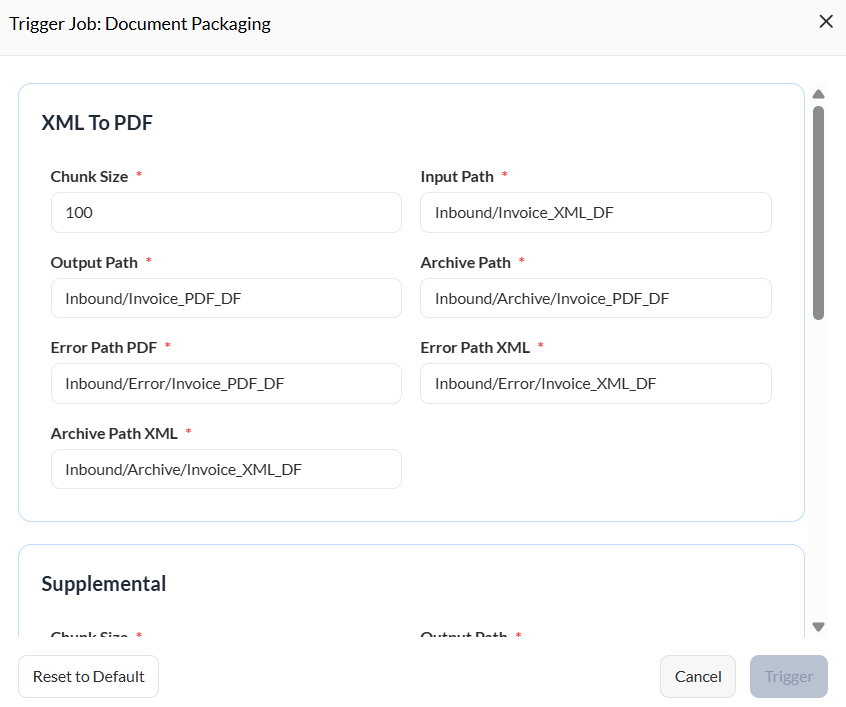
| Parameter | Description |
|---|---|
| Chunk Size | Defines how many records or items are processed per batch during execution. |
| Input Path | Directory location where the system reads or retrieves the source files. |
| Output Path | Folder where processed or generated output files will be saved. |
| Archive Path | Main directory where completed or processed files are stored for long-term retention. |
| Error Path PDF | Directory where PDF files that encountered errors during processing are saved. |
| Error Path XML | Directory where XML files that failed processing are stored. |
| Archive Path XML | Specific archive directory for storing processed XML output files. |
Supplemental
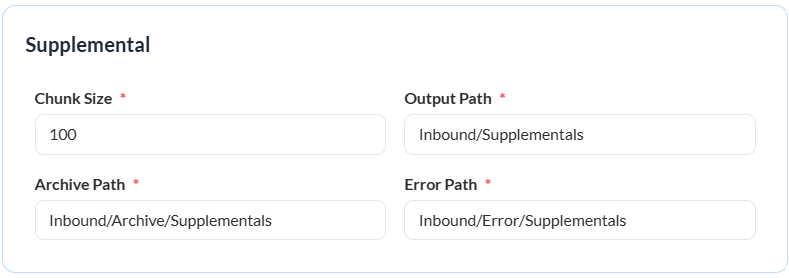
| Parameter | Description |
|---|---|
| Chunk Size | Defines how many records or items are processed per batch during execution. |
| Output Path | Folder where processed or generated output files will be saved. |
| Archive Path | Main directory where completed or processed files are stored for long-term retention. |
| Error Path | Directory where files that failed processing are stored. |
Packaging
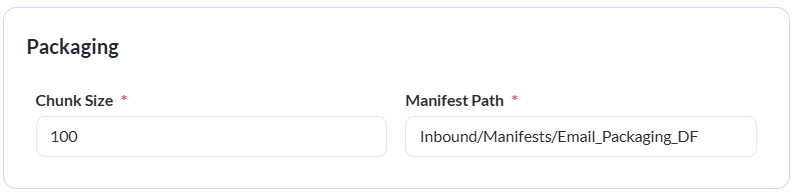
| Parameter | Description |
|---|---|
| Chunk Size | Defines how many records or items are processed per batch during execution. |
| Manifest Path | Location where the system writes or stores the manifest file summarizing the packaging process. |
Control Flags
The following controls are available:
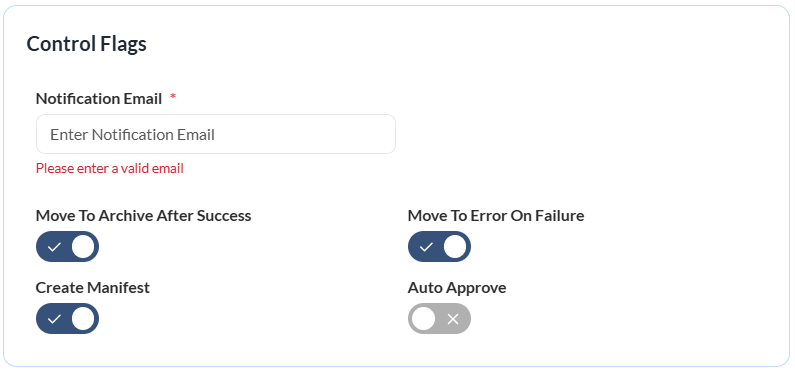
| Control | Description |
|---|---|
| Notification Email | Email address that will receive status updates or alerts after processing. |
| Move to Archive After Success | Automatically moves successfully processed files to the archive folder. |
| Move to Error on Failure | Sends files that fail processing to the designated error directory. |
| Create Manifest | Generates a manifest file summarizing the details of the processed batch. |
| Auto Approve | Automatically approves the process or output to be sent to the recipient. Otherwise, the document is stored in the sender's Drafts folder. |