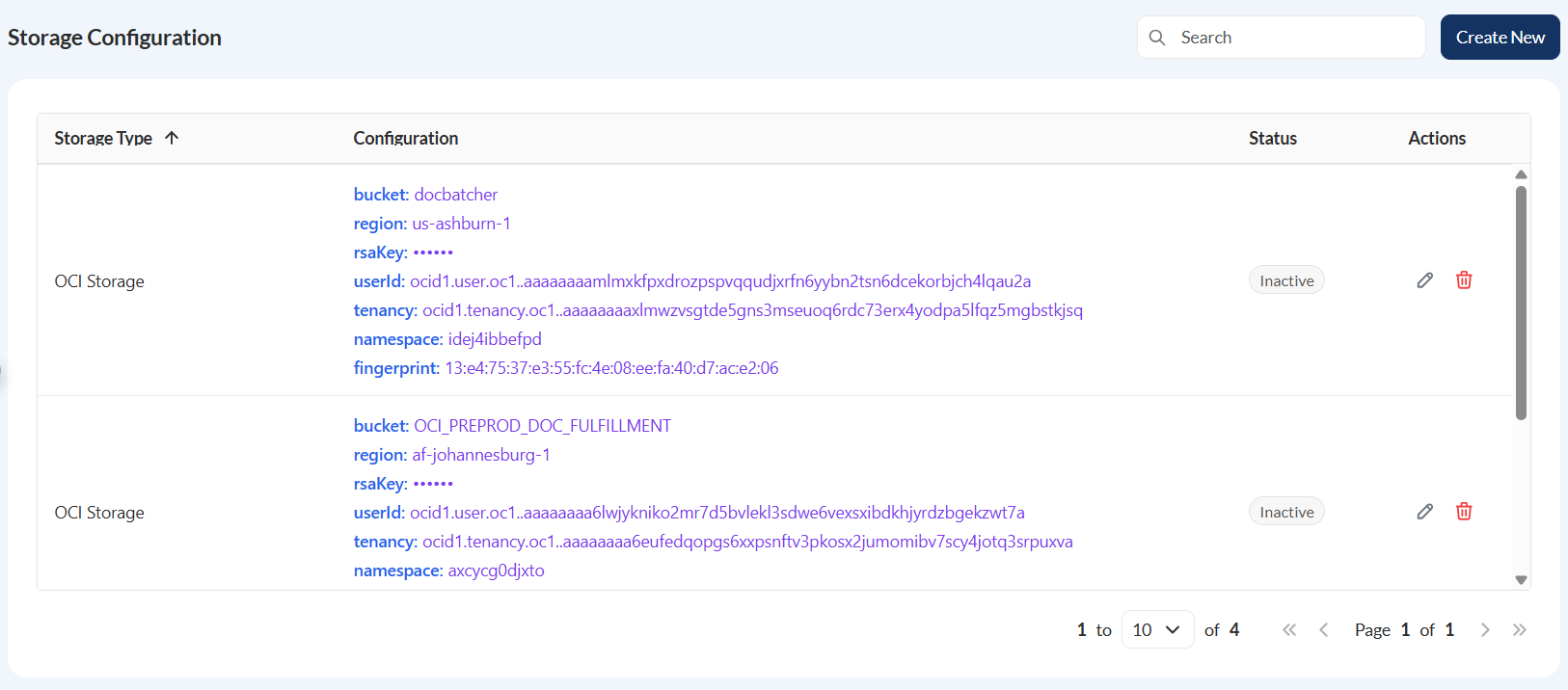
Storage configuration
Overview
This module outlines a current feature that externalizes all storage-related keys to a secure location, the Secrets Manager.
With the externalized flag enabled, Document Fulfilment tracks only the active storage, while all sensitive information, such as access and secret keys, is securely retrieved from the Secrets Manager.
It’s important to note that the externalized flag is not available in the user interface and is managed through the database. As a result, the screen displays only the currently active storage, while the actual configuration details remain securely stored externally.
Create a storage configuration
To create a storage configuration, click Create New and enter valid values in the following fields:
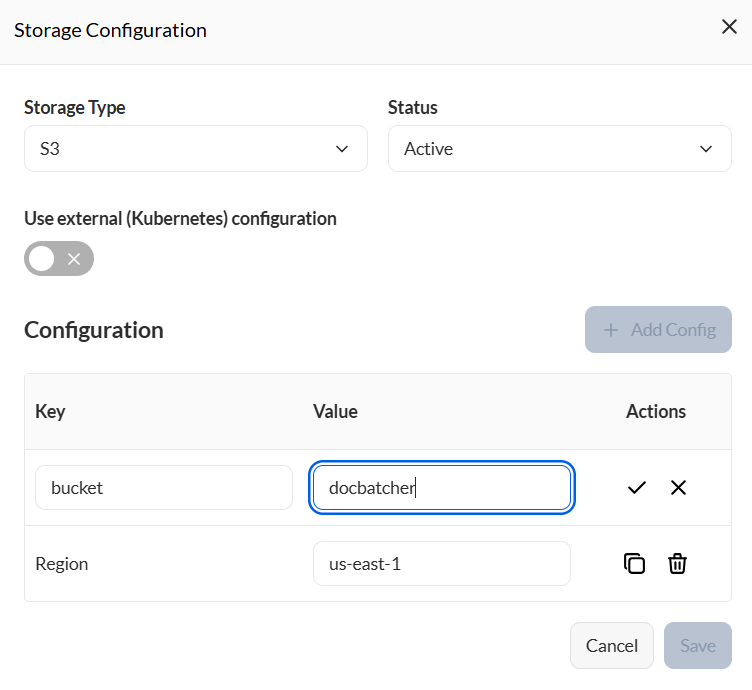
| Field | Description |
|---|---|
| Storage Type |
Specifies the type of storage. Possible values are the following:
|
| Status |
Specifies the status of the storage configuration.
|
| Configuration |
When adding a configuration, click the **Add Config** button and enter valid values to the following:
|
View
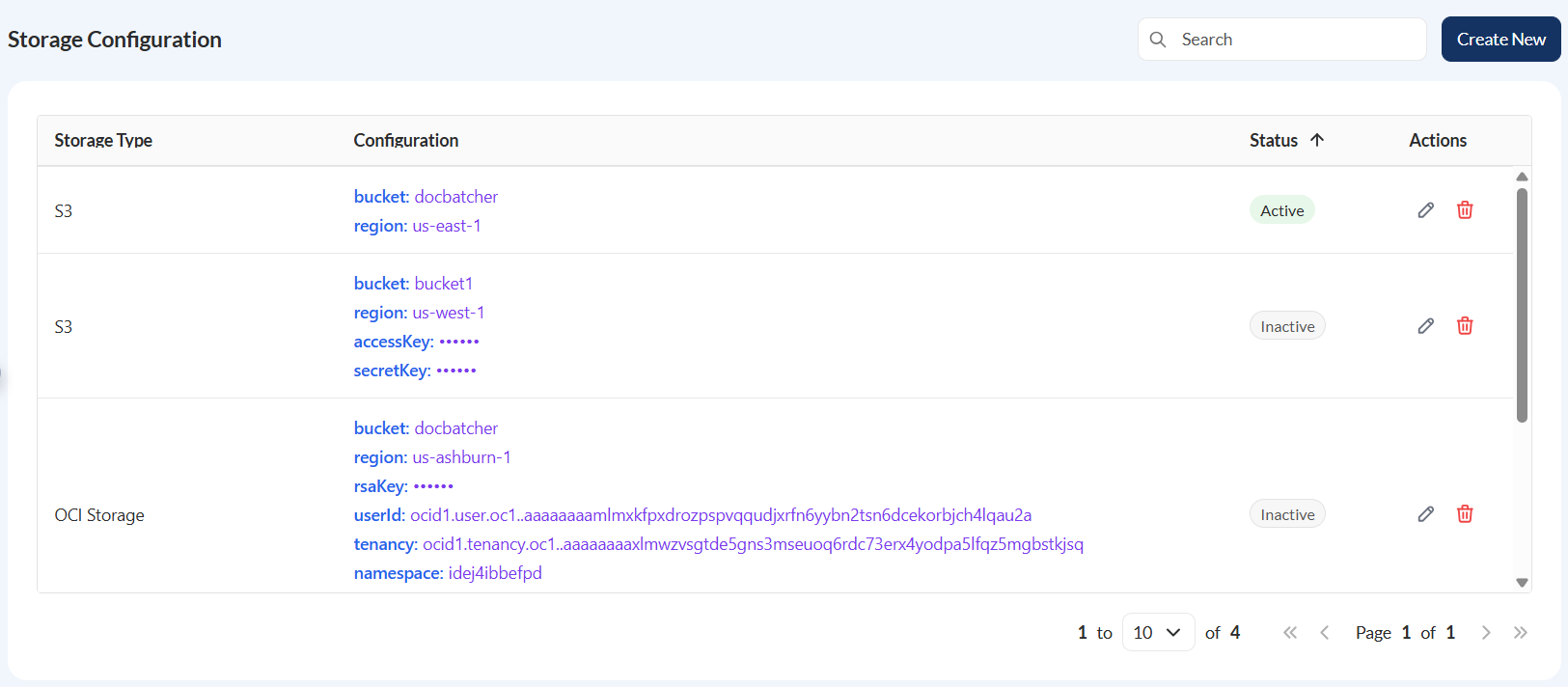
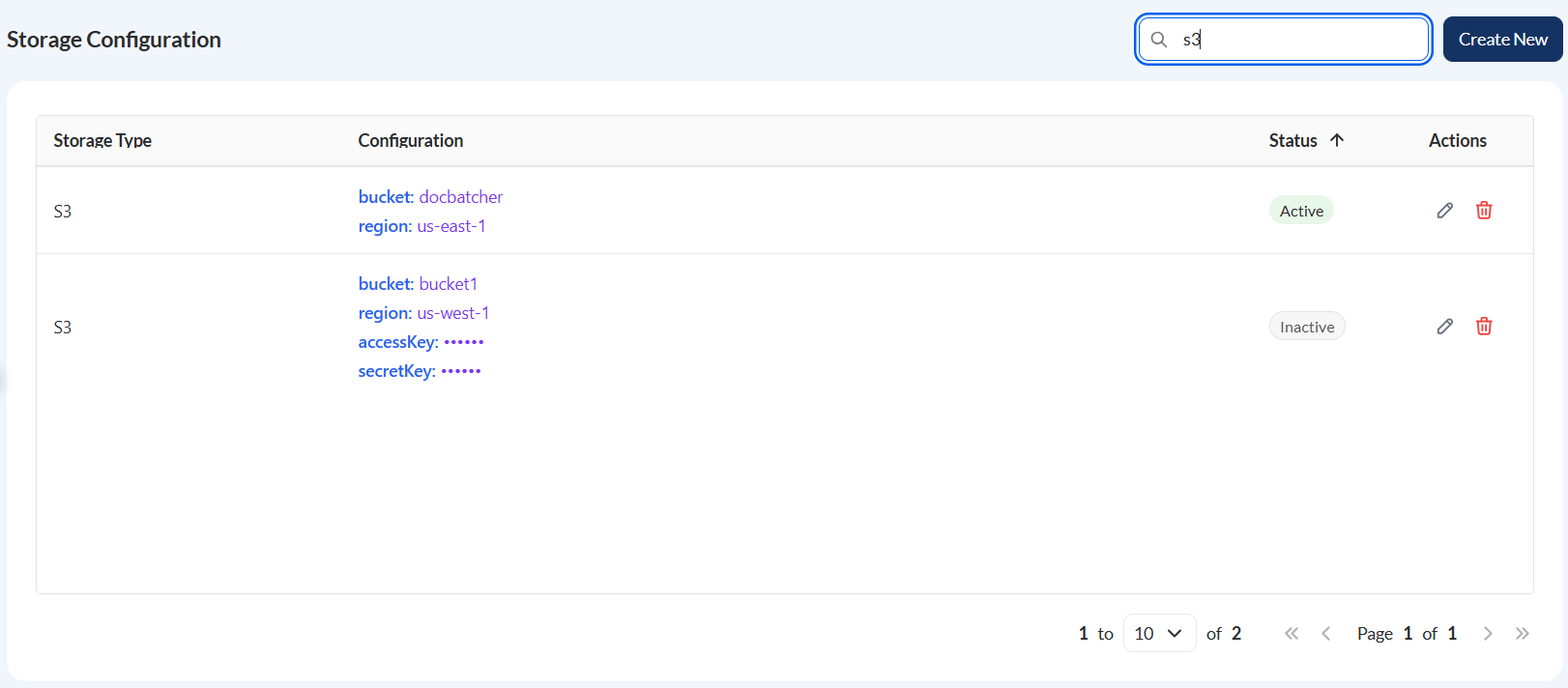
The Storage Configuration displays the following fields:
| Field | Description |
|---|---|
| Storage Type | Indicates the storage type. |
| Configuration | Displays all the configured key-value pairs. |
| Status | Indicates the status of the storage configuration. |
| Actions |
Displays the following icons:
|
 — Edit icon that allows you to edit the storage configuration details.
 — Delete icon that allows you to delete the storage configuration details.
Filter
You can filter the list of storage by providing a keyword or the full storage type. Only the storage configurations that match the provided keyword will be displayed in the view.
Sort
You can also sort items by Storage Type or Status in ascending or descending order.