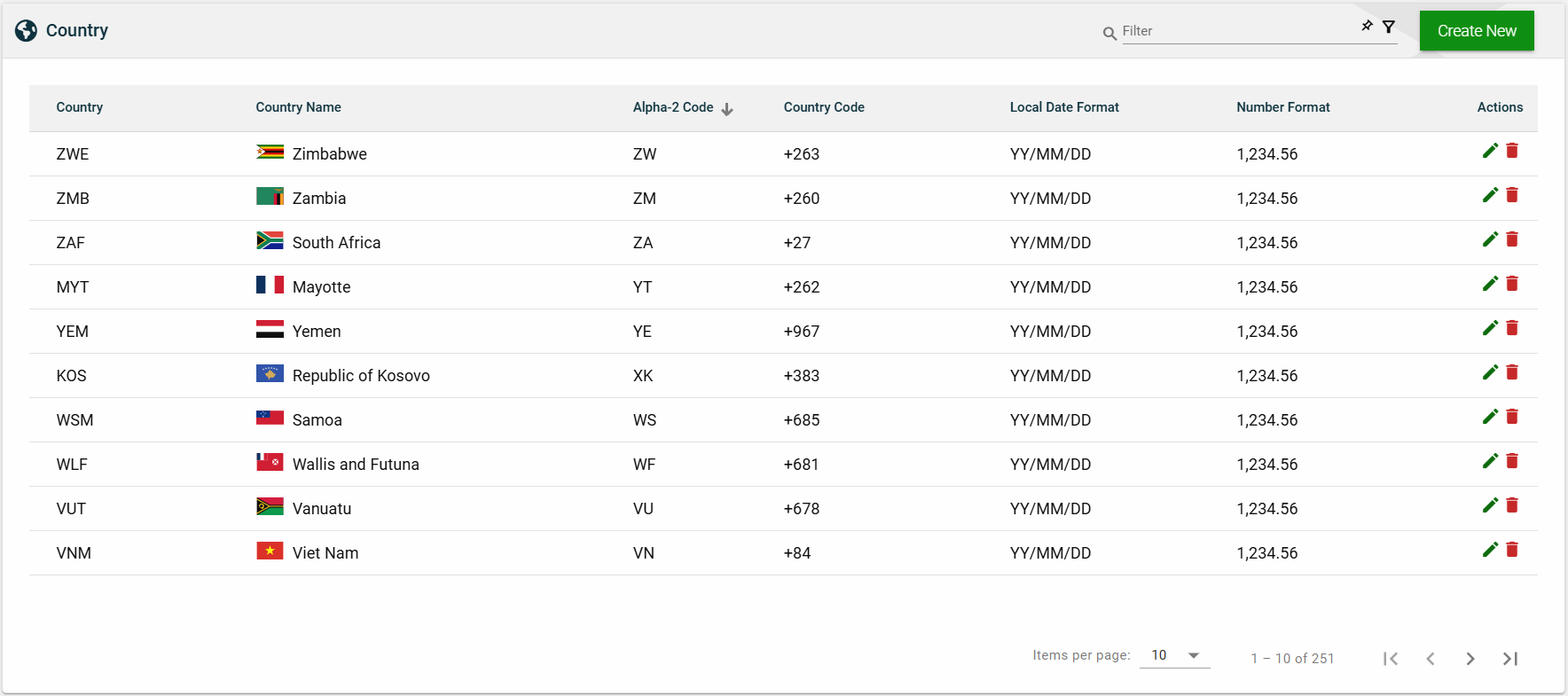
Country
Overview
The Country module comprises a pre-built list of countries that can be utilized in your applications. Each country in the list can be customized with its unique address input field labels and date and number formats, which will then become the default for an application that is configured for that particular country.
Create a country
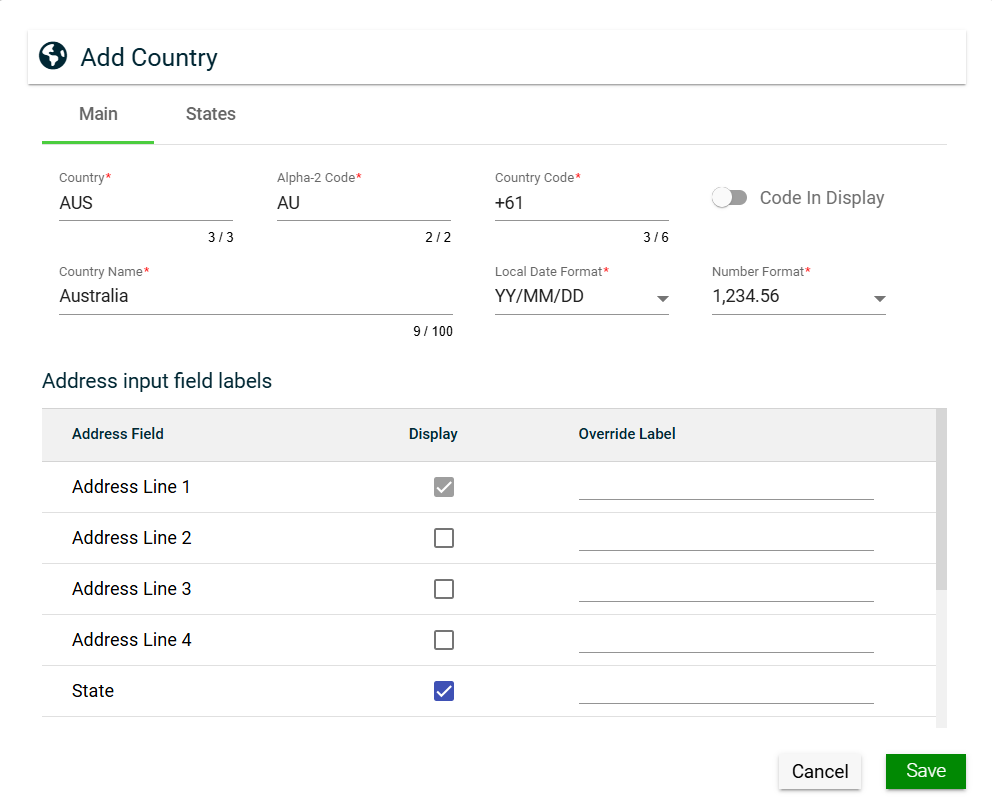
To create a country, click Create New and enter valid values in the following fields:
Main
| Field | Description |
|---|---|
| Country | Three-letter country codes as defined in ISO 3166-1. |
| Alpha-2 Code | Two-letter country codes as defined in ISO 3166-1. |
| Country Code | Dialing code of the country that needs to be added as a prefix to make international calls. |
| Code In Display | If enabled, the Country Code is displayed in addresses instead of the Country Name. |
| Country Name | Name of the country. |
| Local Date Format | Date format to be used in the system when the country is selected. |
| Number Format | Numerical format to be used in the system when the country is selected. |
| Address input field labels |
Configurations for the address fields of a country:
|
States
The States tab is only displayed when the Display checkbox of the State address field is checked. To add a state, follow these steps:
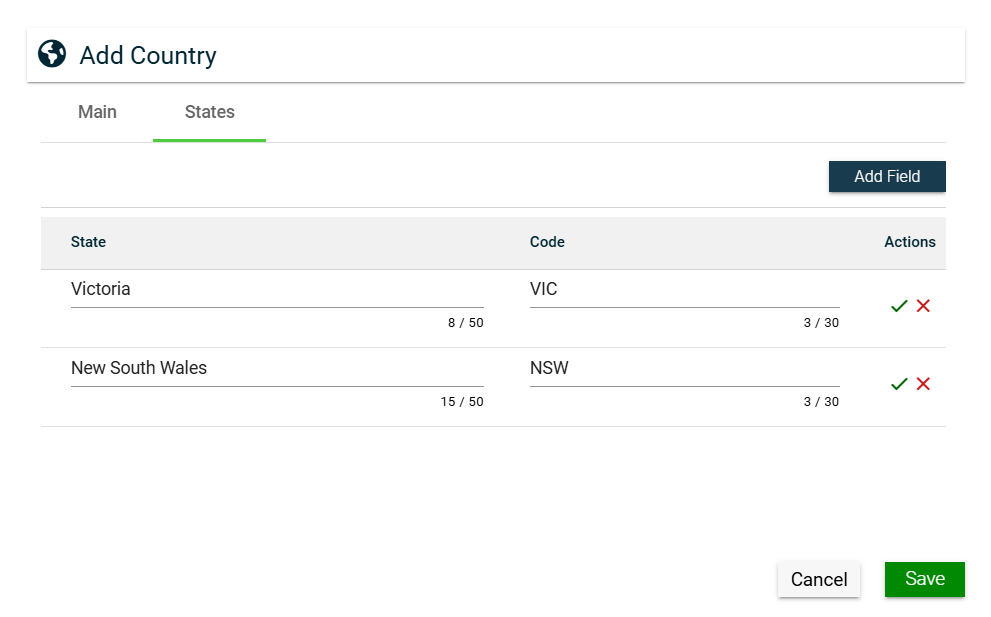
- Click Add Field.
- Enter a valid value in the States field.
- Enter a valid value in the Code field.
- Click
 to save. To cancel adding a new state, click
  .
. - Click Save.
To edit a state, click  .
.
To delete a state, click  .
.
View
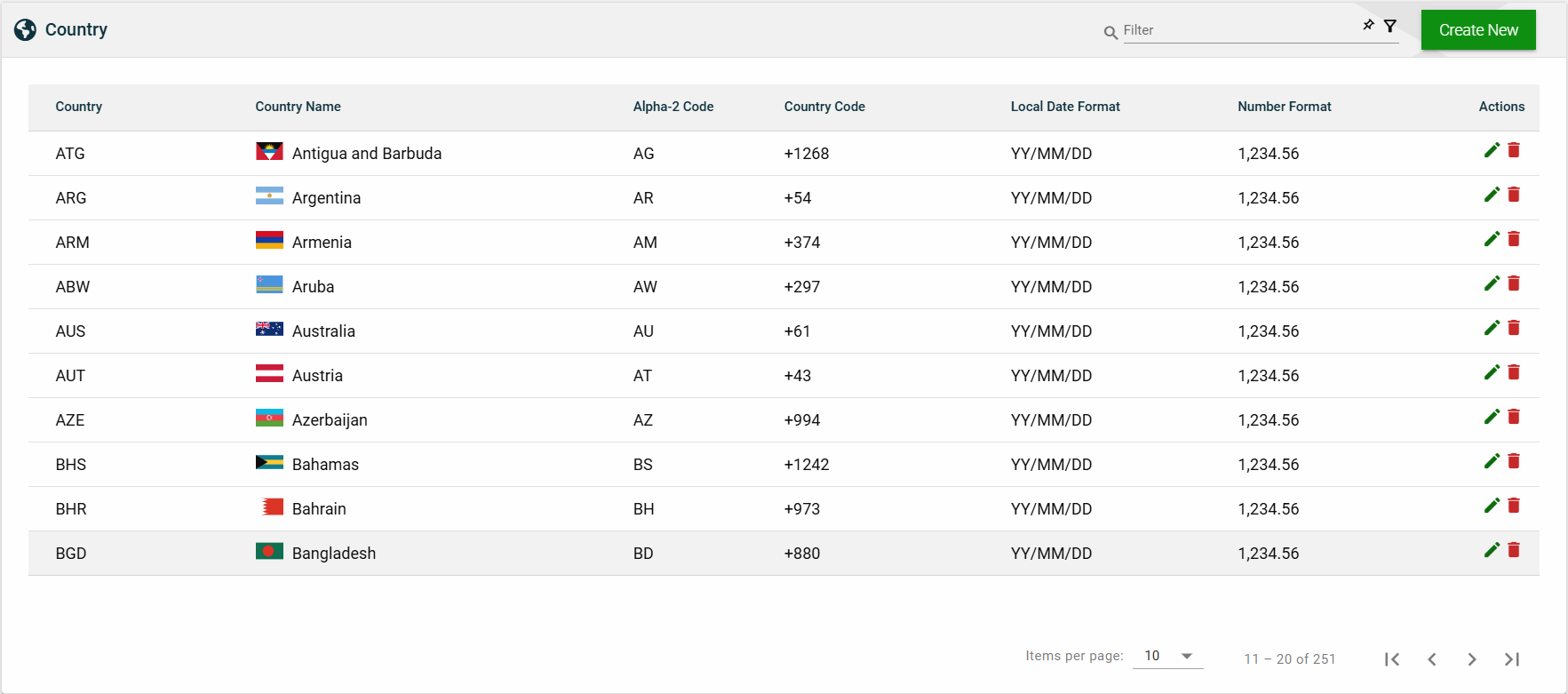
List View
| Field | Description |
|---|---|
| Country | Three-letter country codes as defined in ISO 3166-1. |
| Country Name | Name of the country. |
| Alpha-2 Code | Two-letter country codes as defined in ISO 3166-1. |
| Country Code | Dialing code of the country that needs to be added as a prefix to make international calls. |
| Local Date Format | Date format to be used in the system when the country is selected. |
| Number Format | Numerical format to be used in the system when the country is selected. |
| Actions |
Displays the following icons:
|
Search
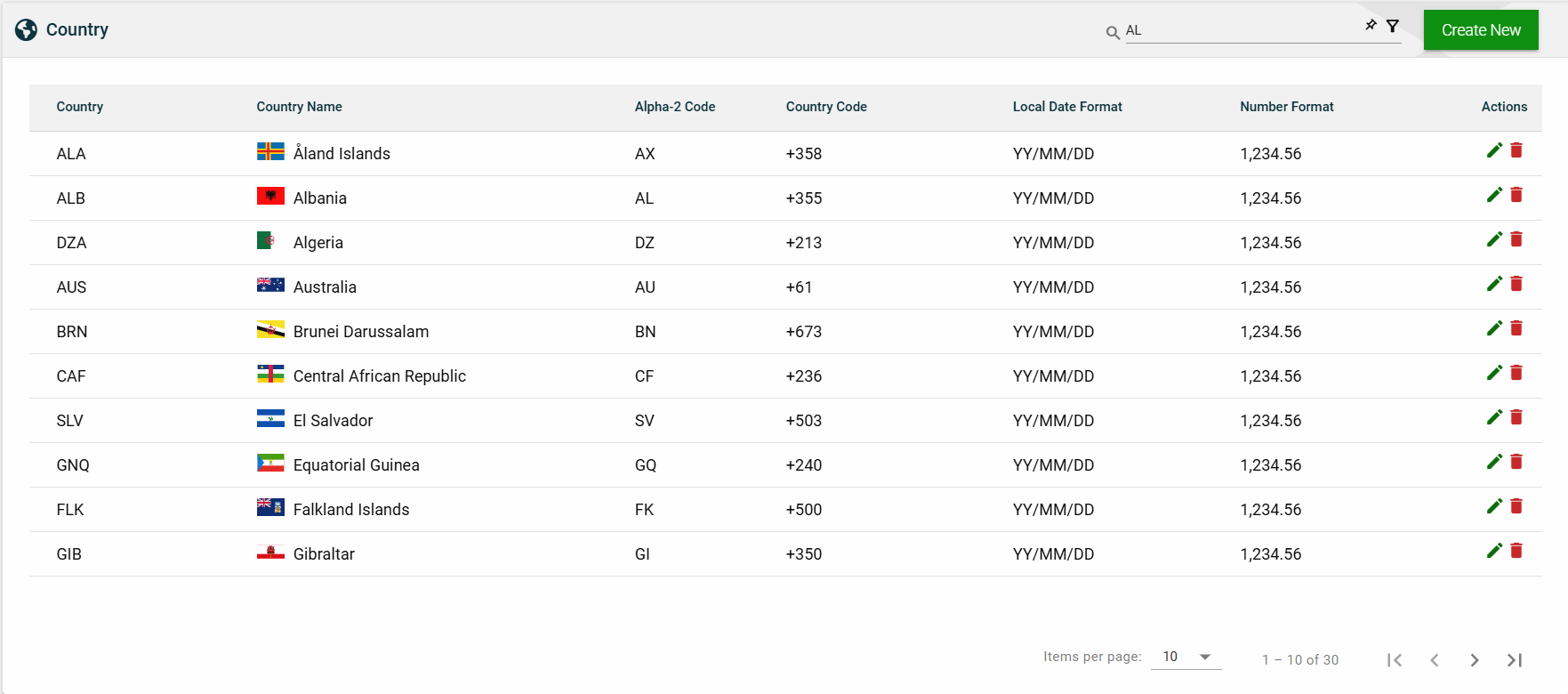
To search for an item on the Country page, enter a keyword for a country name, alpha-3 code, or alpha-2 code.
For example, you can input a valid country name to search for an item or you can input an alpha-2 or alpha-3 code to search for an item.
Filter
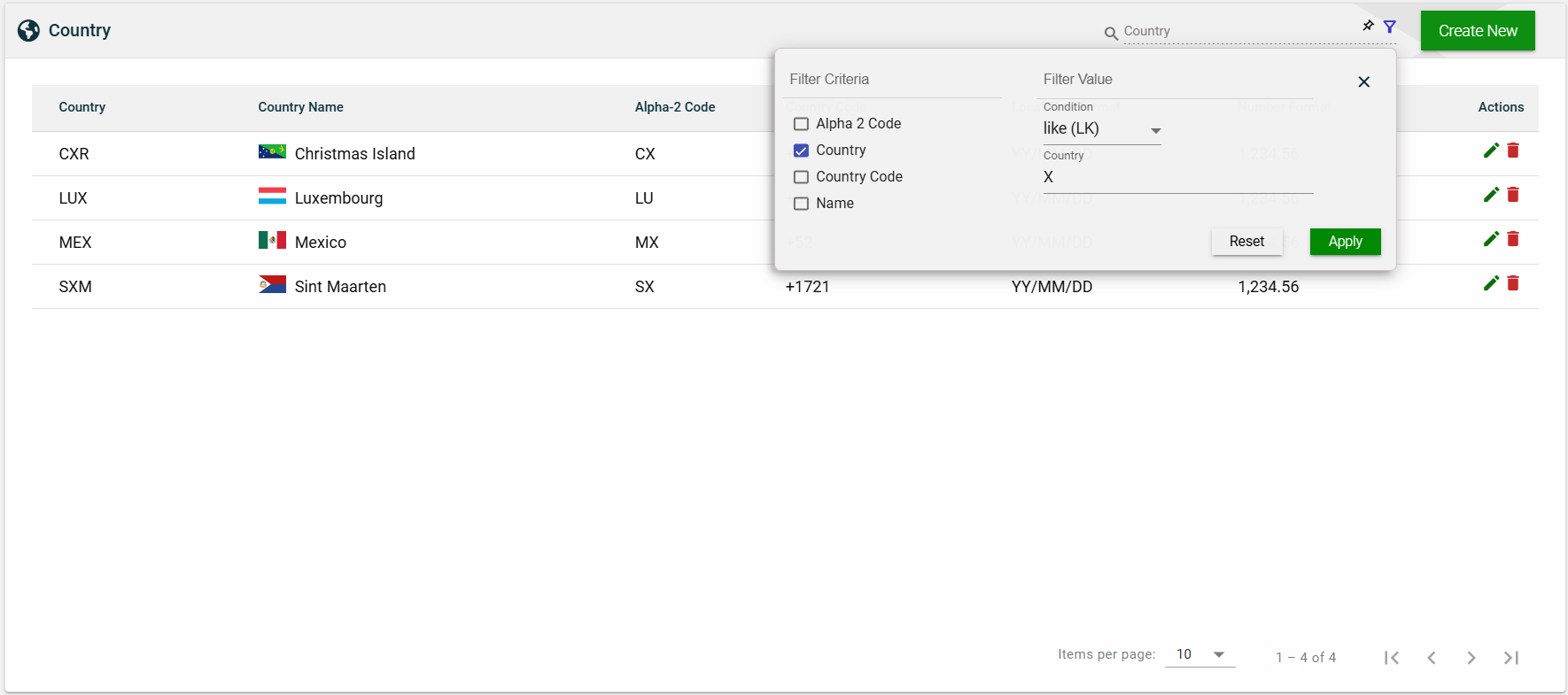
The following filters are available:
- Alpha 2 Code
- Country
- Country Code
- Name
Sort
The following columns on the list view can be sorted:
- Country
- Country Name
- Alpha-2 Code
- Country Code
- Local Date Format
- Number Format