Overview
Overview
The Batch Dashboard provides the same report overview for the following batch jobs executed using the tool:
- Complete Document Processing – End-to-end handling of documents from input to final output.
- XML to PDF Conversion – Converts XML files into formatted PDF documents.
- Collection Letter Generation – Produces collection letters using predefined templates and data inputs.
- Document Packaging – Bundles generated files into organized packages for distribution or archiving.
- Supplemental CSV Processing – Processes supplemental CSV datasets that support or enhance other batch operations.
Summary and Overview Charts
The following statistics are being displayed for each batch job:
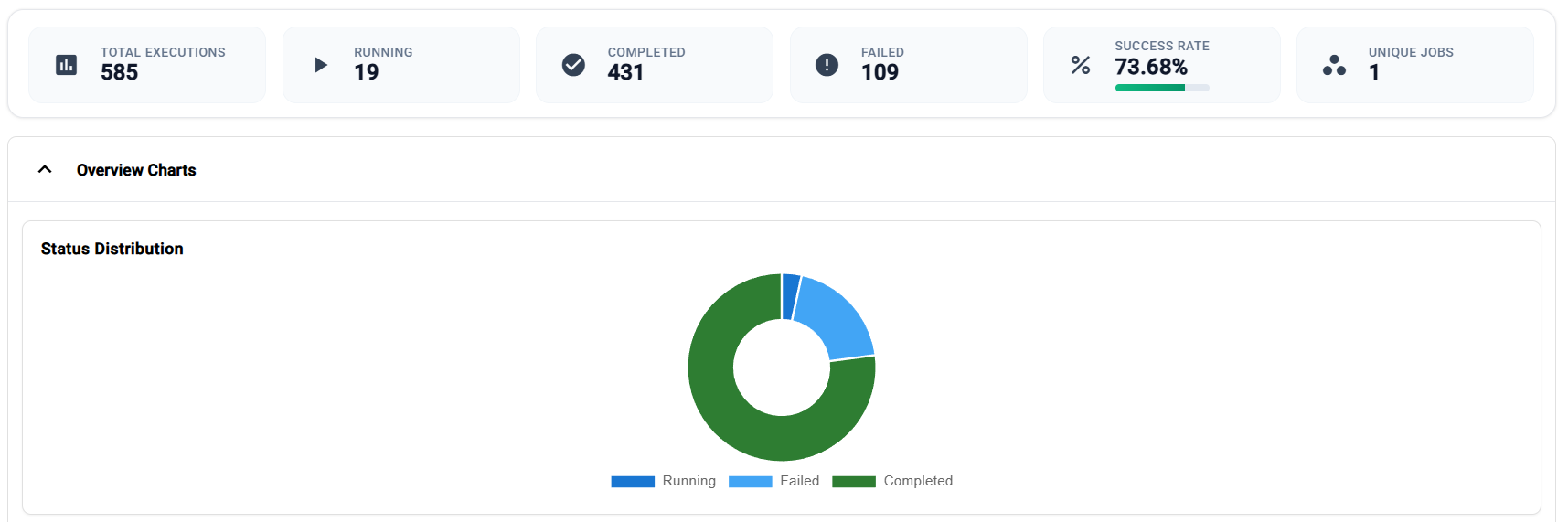
| Statistic | Description |
| Total Executions | Total number of executions for a batch job. |
| Running | Number of running batch jobs. |
| Completed | Total number of completed executions. |
| Failed | Total number of failed executions. |
| Success Rate | Percentage of the number of completed executions over the total number of executions. |
| Unique Jobs | Number of unique job. |
This section also provides an overview chart displaying the visual distribution of the executions based on their status.
Executions
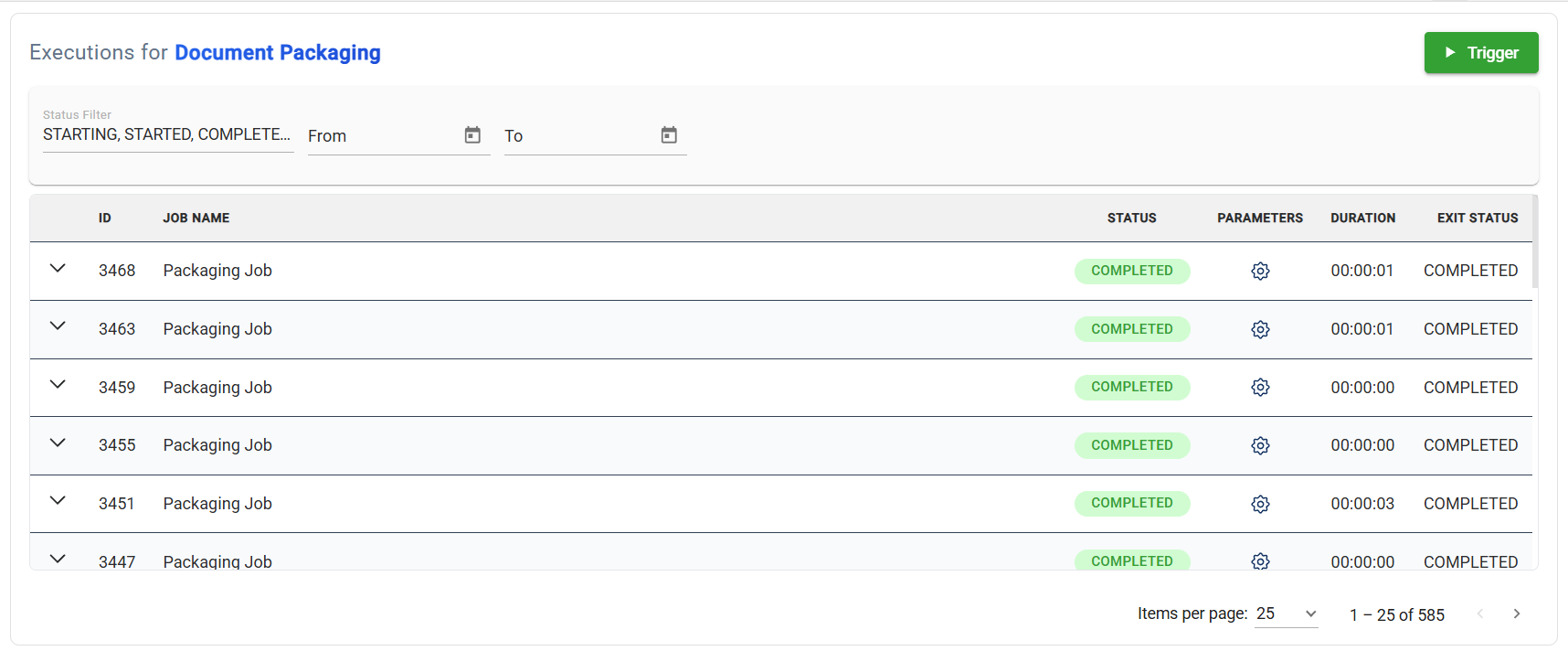
This section lists all executions triggered for a particular job. It displays the Job ID, Job Name, Duration, and the Status of the exeuction before it stopped.
Filter
You can also filter the list by specifying tohe status and the date o execution.
Trigger
Executions can be triggered in this section of this module.
A set of default parameters are already available allowing you to execute the job on the spot. In case you wish to modify any parameter, it is also allowed.
Recent Executions
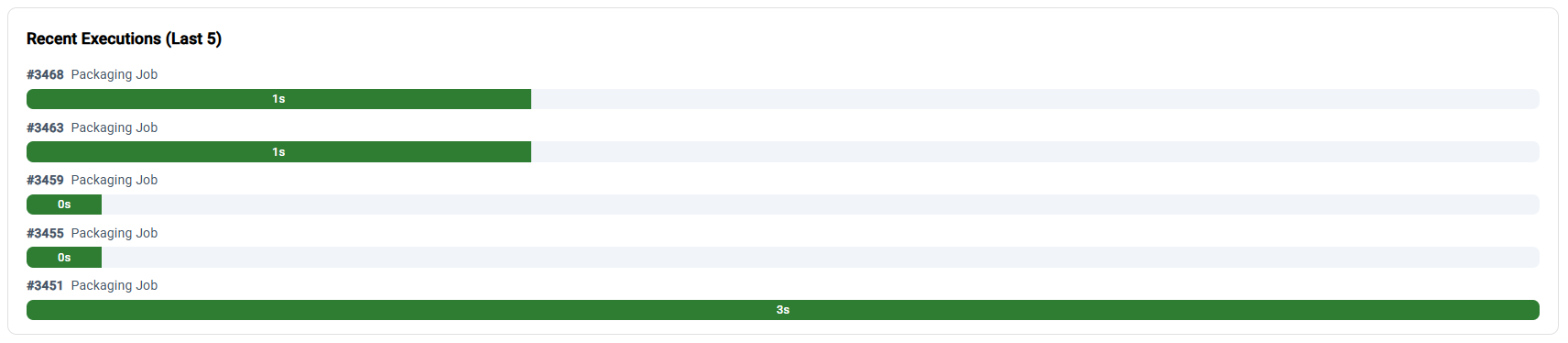
Lists the last 5 execution for a particular job. It displays the Job ID and the Job Name. It also displays the duration of the execution in seconds with a color-coded bar descrbing the status of execution, green for successful and red for failed executions.