Privilege Codes
Overview
Privilege Codes provide detailed control over access to application resources, services, and individual fields.
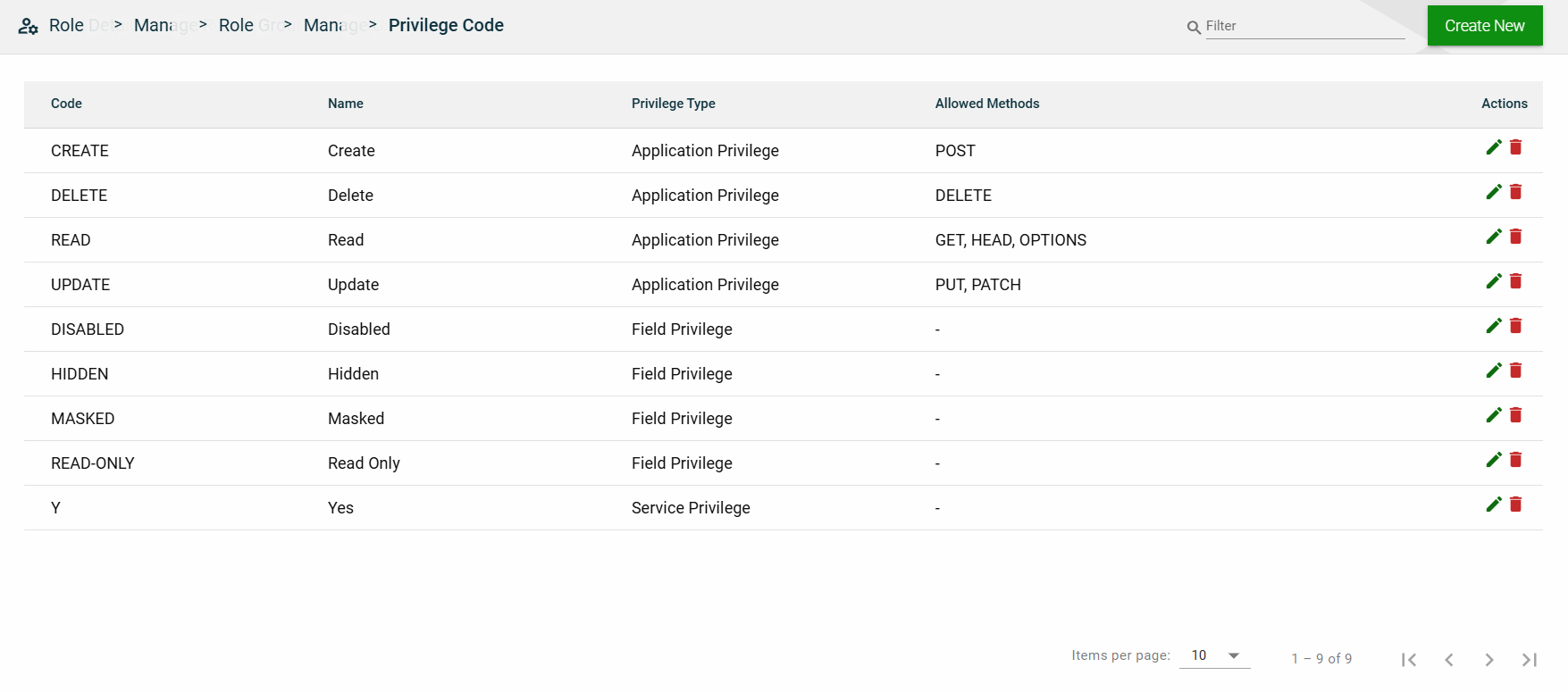
These codes serve as a centralized permission layer and can be applied at various levels:
- Application-Level — Control access to REST endpoints and operations such as create, read, update, and delete.
- Service-Level — Control access to internal framework services and capabilities.
- Field-Level — Control visibility and behavior of fields in API requests/responses or UI forms.
Privilege Codes are both configurable and extensible. The framework comes with a set of commonly used privilege codes out of the box, and developers can create additional custom privilege codes based on the specific needs of their applications.
Application-level privileges
| Code | Name | Description | Allowed Methods |
|---|---|---|---|
| CREATE | Create | Grants permission to create resources. | POST |
| DELETE | Delete | Grants permission to delete existing resources. | DELETE |
| READ | Read | Grants read-only access to retrieve resources. | GET, HEAD, OPTIONS |
| UPDATE | Update | Grants permission to modify existing resources. | PUT, PATCH |
Service-level privileges
| Code | Name | Description |
|---|---|---|
| Y | Yes | Indicates that access to the service is permitted. Used for service-level privilege checks. |
Field-level privileges
| Code | Name | Description |
|---|---|---|
| DISABLED | Disabled | Field is visible but not editable. |
| HIDDEN | Hidden | Field is not visible to the user. |
| MASKED | Masked | Field is visible but displayed in masked form (e.g., ****). |
| READ-ONLY | Read Only | Field value can be viewed but not modified. |
Create a privilege code
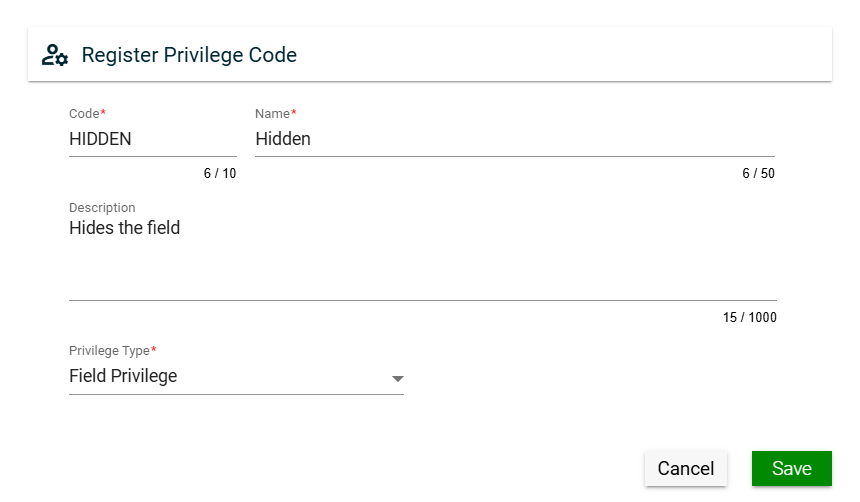
To create a privilege code, click Create New and enter valid values in the following fields:
| Field | Description |
|---|---|
| Code | Code of the privilege. Mandatory: Yes |
| Name |
Name of the privilege.
|
| Description | Additional details of the privilege. Mandatory: Yes |
| Privilege Type |
Specifies the level for which you want to define a privilege. The following are the possible values:
Mandatory: Yes |
View
| Field | Description |
|---|---|
| Code | Code of the privilege. |
| Name | Name of the privilege. |
| Privilege Type |
Specifies the level for which you want to define a privilege. The following are the possible values:
|
| Allowed Methods | Specifies the allowed HTTP methods for an application privilege. This column is empty for other privielege types. |
| Actions |
Displays the following icons:
|
 — Edit icon that allows you to edit the privilege code details.
 — Delete icon that allows you to delete the selected privilege code.
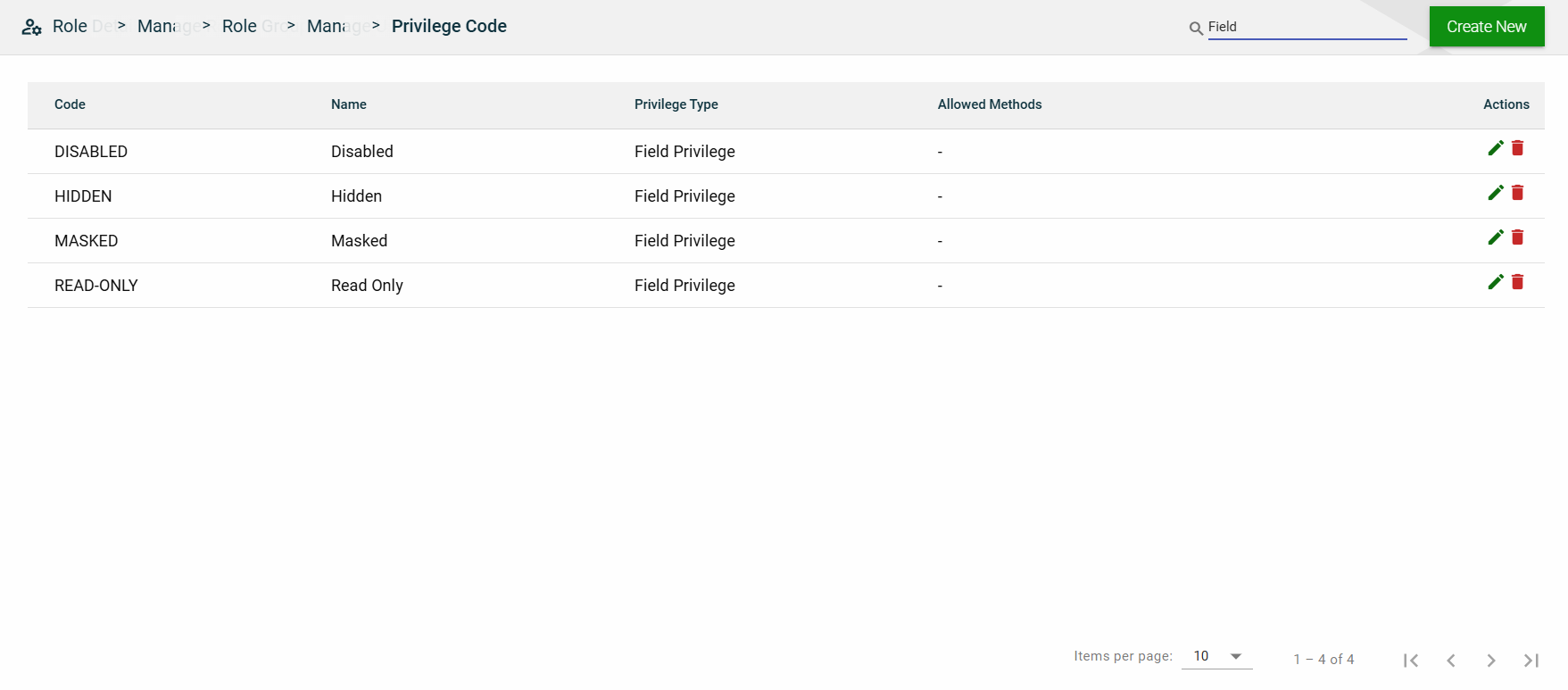
Filter
You can filter the list by entering a partial or full name in the search field.
Sort
The following columns on the list view can be sorted:
- Code
- Name
- Privilege Type
- Allowed Methods