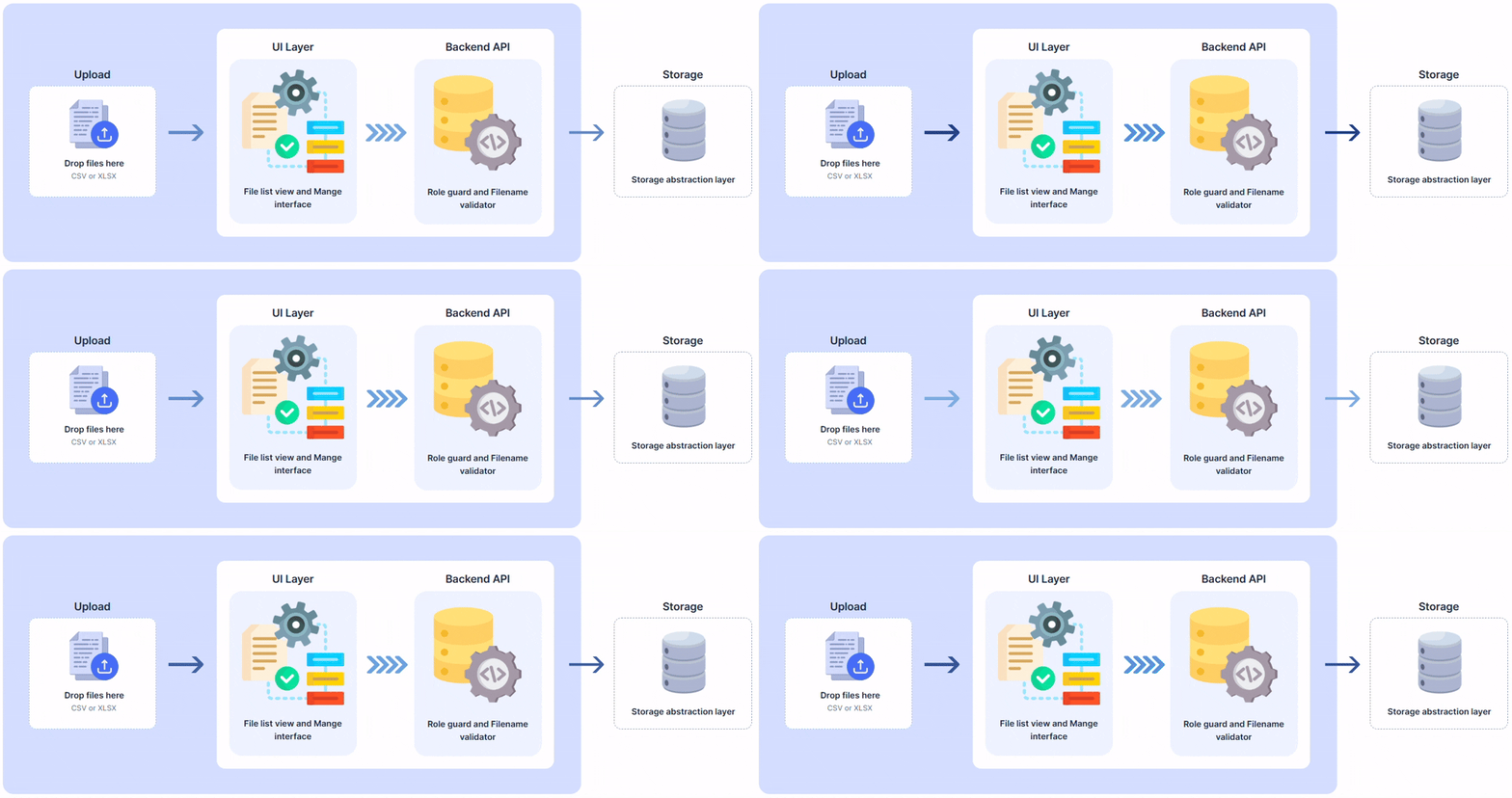
DOH now allows users to upload CSV/XLSX files directly through the UI, eliminating the need for manual server access. User permissions to add, overwrite, and delete files are controlled through Roles and Role Masking. For more information, see the user guide.
1 - Release Notes
1.1 - 2026 Release Notes
This release notes documentation contains package updates and the list of new features and fixed issues for the Data Orchestration Hub (DOH).
DOH 4.2.0
New Enhancements
This section provides the list of new features and enhancements that have been added in this release.
Module
Description
Security
Updated core third-party libraries to address security vulnerabilities identified by UHG security scans, selecting versions compatible with JDK 17. Library updates are verified through compilation and regression testing to ensure existing functionality continues to work.
This update excludes SSO-related libraries because SSO is not currently used. The release focuses on vulnerabilities in the DOH core libraries.
TaskPoller
Enhanced TaskPoller database connection error handling so it automatically enters recovery mode when a connection failure occurs, eliminating the need for a manual server restart. New recovery settings control retry frequency and maximum recovery period, with support for unlimited retries.
Fixed Issues
This section provides the list of issues that have been fixed in this release.
Module
Description
Installation
Fixed an issue where DOH upgrade installation could fail with an Unknown version 3.5.1 found error. Upgrades now correctly process the affected version.
Installation
Fixed an issue where upgrading from a pre-4.0.0 release to 4.0.0 or later could overwrite customer customizations on base objects, such as customized default values for executable parameters.
Installation
Fixed an issue where changes to customizable fields on CORE-owned objects could be incorrectly rejected with a user cannot update base error.
Job
Fixed an issue where the command-line RunJob could time out after 60 seconds when running a job with multiple steps. The job could start successfully but was not detected by RunJob, resulting in a job did not start within 60000 ms error.
Job
Fixed an issue where RunJob could time out after 60 seconds because it did not properly detect that a job had started. The job-start detection logic now correctly handles error conditions and restarts.
Job
Fixed an SFTP upload issue where uploading to an empty directory could cause a permission denied error. The directory existence check now distinguishes between an empty directory and one that does not exist.
Job
Fixed intermittent BadPaddingException errors during job execution caused by a non-thread-safe encryption class. Jobs no longer fail intermittently due to concurrent encryption and decryption operations.
Job
Fixed an issue where empty cells in Excel uploads were skipped, causing values to shift and no longer match the corresponding column headers. Empty cells are now preserved so values remain aligned with the correct columns.
Job
Fixed an issue where double quotes inside cells, such as those in JSON strings, were not properly escaped and could cause errors.
DOH 4.1.0
Release Date: 28 April 2026
New Enhancements
This section provides the list of new features and enhancements that have been added in this release.
Affected module/s
Description
Backend
Updated SQLScriptHelper to support JDBC batching by adding a configurable batchSize parameter (defaulting to 1) and passing it to AbstractSQLStatementExecutor. Also updated SQLScriptWorkEntryExecutor to include batchSize in the @WorkEntryExecutor annotation for UI support.
Core
The productsInstalled API has been improved to identify installed products as CORE, ARCHIVE_CONSOLE, or UPGRADE_CONSOLE.
File Manager
Fixed an issue where the file name table header scrolled out of view when scrolling down. The header now remains fixed at the top.
Installation
The upgrade Python script now only creates and configures config/override/hazelcast-client.xml if the file does not already exist.
Installation
The hazelcast.xml update has also been made conditional. If no override file exists, the file is copied to the override directory and configured automatically. If an override file already exists, it is left unchanged except for updating legacy Hazelcast cluster name configuration format from <group><name>cluster-name</name></group> to the current format.
Logging
The system now captures user login and logout events by recording authentication activity in the database alongside existing web server logs.
Logging
The access logs are now captured in a structured format and can now be monitored and tracked for user activity and auditing purposes.
Run Status
Timestamps are now stored and passed using the original local timestamp and browser time zone ID, instead of being converted to UTC.
Scheduler
The scheduler API now includes timezone information in all requests.
Scheduler
Added a Next field for scheduled jobs to display the upcoming execution time when a job is linked to a schedule and is waiting to run.
Scheduler
A tooltip has been added to the Entity List to display Schedule Start and End dates when available.
Task Flow
The Add Task Sub-Flow – Step popup now has improved spacing between the Name and Step Name fields and displays clearer validation messages when the Step Name exceeds the allowed length.
Task Flow
Task Flows (DBMS chains) can now be cloned, similar to the existing clone functionality available for other entities.
Fixed Issues
This section provides the list of issues that have been fixed in this release.
Affected module/s
Description
Adhoc Settings
Fixed an issue where the trash icon color was inconsistent.
Executable
Fixed an issue where exporting large datasets to XLSX could cause a java.lang.OutOfMemoryError: Java heap space due to excessive memory usage when generating workbooks in memory.
Executable
Fixed an issue where executable parameter defaults were not consistently retained after multiple refresh actions or when creating a new entry.
Executable
Fixed missing executable parameter entries in the message bundle.
Executable
Fixed an issue where the Save button did not correctly reflect the current unsaved state after actions such as adding data, editing row values, switching between sections or tabs, and adding or deleting code.
Executable
The Save button now consistently enables or disables based on pending changes across all workflows.
Executable
The FILE_DOWNLOAD executable for CSV export now correctly escapes double quotes within text fields when the textInQuotes option is enabled, and properly handles CLOB columns by exporting their actual text content instead of Java object references.
Executable
For executables owned by base, the code block is now restricted and is no longer customizable. Additionally, for base-owned executables, the default_value of parameters is now correctly updatable as defined by the corresponding annotation.
Executable
Fixed an issue where the ExecutableParameter.defaultValue field, marked with the @Customized annotation, was incorrectly triggering the User cannot modify base… error in certain scenarios.
Executable
Fixed an issue where the discard confirmation dialog was not displayed when refreshing the page or navigating away after modifying a code block in an executable.
File Manager
The files list is now displayed correctly with proper sorting implemented.
Job
Fixed an issue where the trigger failed to start the next step for multi-step jobs running longer than one minute.
Job Activity
The character count for task flow inputs is now updating correctly in real time.
Login
The logo now resizes correctly without being cut off when the screen size changes.
Logo
The Archive Console and Upgrade Console now display their own distinct logos instead of the default DOH logo.
Scheduler
Fixed an issue where clicking the refresh icon cleared the job search field and reset the results list in Jobs Activity.
Scheduler
Fixed an issue where start and end time values were being automatically modified after saving or reopening a newly created schedule.
Scheduler
A Discard Changes confirmation popup is now displayed when switching tasks with pending modifications, preventing accidental data loss.
Scheduler
Fixed an issue where updated subchain descriptions or comments were not reflected in the main chain flow diagram and entity list after saving.
Scheduler
Schedules now allow a start date in the past, aligning with Oracle Scheduler behavior.
Security
Fixed an issue where the Save button remained enabled even after reverting the changes.
Source
Fixed an issue where the PUT API was incorrectly converting NULL values into empty strings "" for fields such as tableId and executableId.
Table Mapper
Fixed an issue where the Save button remained enabled even when there were no unsaved changes.
Task
The tooltip now correctly displays the full parameter value without truncation.
Task
The correct state of task parameters is now passed to the backend. New parameters are now correctly marked with new = true, and modified parameters are marked with modified = true.
Task Flow
Fixed an issue where the connection arrows were not properly aligned after refreshing the Task Flow page.
Task Flow
Fixed an issue where newly created task flows were not appearing in the task flow list.
Task Flow
Fixed an issue where the character count for task flow inputs was not updating correctly.
Task Flow
Fixed an issue where the entity list could not be expanded after being collapsed.
Task Flow
Fixed an issue in Task Flow where the Task Details panel became blank after refreshing or switching between sub-tasks.
DOH 4.0.0
Release Date: 13 March 2026
New Enhancements
This section provides the list of new features and enhancements that have been added in this release.
Module
Summary
File Upload
Two new interfaces for drag-and-drop file uploads and a list view of uploaded files including metadata such as uploader, status timestamp, format, checksum, and file size.
The upload page supports simultaneous multiple file uploads for CSV, XLS, and XLSX formats and prevents duplicate uploads through checksum validation.
File visibility and actions are governed by user roles. Only administrators and the original uploader can delete a file, while read-only users cannot upload files.
The ria-boot.properties file supports configurable paths for file upload and download directories.
Task Scheduler
The Task Scheduler has been migrated from a standalone React application to an integrated Angular module within the core platform, replacing the external tab redirect with a native single-page interface.
Editor Dialog
A search field triggered by Ctrl+F has been integrated within the Ace Editor.
1.2 - 2025 Release Notes
This release notes documentation contains package updates and the list of new features and fixed issues for the Data Integration Hub (DIH).
Data Integration Hub 3.5.0
Release Date: 17 December 2025
New Enhancements
This section provides the list of new features and enhancements that have been added in this release.
Module
Summary
General
A batch file is now available to allows 3rd-party schedulers like Tidal to trigger and monitor job submission directly from a Windows server.
ILM - Restore
The Person Name and Is Global Admin Account columns have been added to the Restore page.
ILM - Restore
A validation that disables the Evaluate button if the Account ID field is empty has been added to the Restore page.
Report
You can now specify dynamic worksheet names for XLSX downloads using placeholders, source column names, or Groovy scripts, moving away from the old system of auto-generated titles.
[Frontend] Username top-right too small - name getting truncated
Executable
Refactored the data-fetching logic for executables for major performance improvement.
Task
A new sheetName parameter can now be configured to specify the filename of the downloaded Excel worksheet.
Fixed Issues
This section provides the list of issues that have been fixed in this release.
Module
Summary
Source
Fixed an issue where the Source columns were not scrollable.
Executable - File Donwload
Fixed an issue where a multi-threaded file download fails.
Run Manager
Fixed an issue where the total entities count was not updating after run creation or deletion.
Execution Profile
The Execution Profile page layout has been fixed to prevent visual compression when no profiles exist.
Data Integration Hub 3.4.0
Release Date: 8 December 2025
New Enhancements
This section provides the list of new features and enhancements that have been added in this release.
Module
Description
Security
Roles are now mapped to entities.
Security
The users are now automatically created on first SSO login after successful authentication.
Executable
An ignore option for file-not-found errors for OCI and AWS uploads/downloads has been added. This allows execution to continue when specified files are missing.
Executable
The x:autoCommitDB now logs unsupported auto-commit exceptions as warnings and allows executions to continue. When enabled, DIH bypasses explicit commits and rollbacks, assuming driver-level auto-commit behavior.
Security
The Role Type field has been added to the Role Maintenance and Roles pages.
Security
A new Role Mask page has been created with Role Id, Entity, and Mask columns.
Task
The executable hyperlink is now disabled on the task page when a user has access to the task but not to the associated executable.
Fixed Issues
This section provides the list of issues that have been fixed in this release.
Module
Description
Source
The delay before the API call during manual filtering has been removed.
Task
The Target dropdown now displays all available targets that can be added to a task.
Target
The character count now updates automatically when characters are added or removed in the URL Path field.
ILM
Fixed an issue where the login screen briefly appeared when discarding changes by clicking the refresh button.
Executable
The editor dialog for executable code now displays properly.
Table
Detailed information for a table is now displayed when Clone is clicked.
Service
Fixed an issue where the Total Entities count increased after cloning a service that does not match the active filter.
Table Mapper
Fixed an issue where a Discard changes? popup appeared when navigating away from the table mapper even if no changes were made.
Login
Fixed an issue where unauthorized login error messages appeared for users created with no menu access.
Settings
The URL field now correctly fetches and displays the expected URL-formatted values from the API.
Tasks
A scroll-to-bottom feature is now available on the page.
Settings
When a DB context is selected, its details are now displayed.
Run Status
Fixed a discrepancy between job run times shown in the Job Summary and Run Status Tree.
Tasks / Run Status
Fixed inconsistencies in timezones used across the Tasks and Run Status pages.
Target / Execution Profile
Fixed an issue where the Discard changes? prompt reappeared when interacting with page components after discarding changes using the refresh button.
General
The SLF4J logging statements are now visible in web and rtserver logs.
ILM
Fixed an issue where the Discard changes? prompt appeared when navigating away from the Create New page with no input.
Execution Profile
Fixed an issue where the Discard changes? prompt appeared when clicking the refresh button after selecting an executable while creating a new profile.
Table Mapper
Fixed an issue where the Discard changes? prompt appeared after clicking a filtered group record.
Execution Profile
The Execution Profile menu now displays the correct tooltip.
Data Integration Hub 3.3.0
Release Date: 7 November 2025
New Enhancements
This section provides the list of new features and enhancements that have been added in this release.
Module
Description
Execution Profile
Placeholders for empty fields can now be added to control the columns and sizes of fields in a row.
User Interface
All edit dialog windows now display the name or identifier of the item being edited.
Task
The Action column can now be filtered and sorted.
Execution Profile
The enable and runJob APIs now accept execProfileId and related execution profile parameters as query parameters instead of requiring header and JSON body inputs.
ILM
Error messages now return the actual message from the backend.
Executable
Downloads now retrieve all objects matching an objectName wildcard across root and subfolders, while uploads support dynamic folder and file naming using wildcards and variables (e.g., {} and {$currentDateTime}).
Fixed Issues
This section provides the list of issues that have been fixed in this release.
Module
Description
Executable
Fixed an issue where a code snippet was automatically deleted when clicking the Delete icon.
Source
Fixed an issue where the Source screen did not load when the filter contained special characters.
Task
Fixed an issue where tasks failed to redirect to the correct target after applying a filter. The redirection logic now preserves the selected filtered target across navigation.
Table Mapper
Fixed alignment issues in the editor dialog when clicking the Description field.
Target
Target mappings now update and display immediately without requiring a page refresh.
Target
Fixed an issue where deleting detail mappings caused the view to scroll to the top instead of keeping focus on the current row.
Target
The Service and Source hyperlinks now open the correct entities.
Target
Fixed an issue where navigating back from Service or Source did not restore the Target in an editable state.
Executable
The EmailWorkEntryExecutor parameter now has a String value type.
Executable - Email
Fixed parameter configuration for EmailWorkEntryExecutor.
Table Mapper
The sort order in the Table Mapper page is now saved automatically. When users navigate back, their previous sorting and filters are restored.
Target
The mapping expression dialog now opens correctly when an item is double-clicked or selected using Shift + Enter.
Target
Fixed an issue where creating a Target record with Service Type = SERVICE incorrectly triggered a required fields missing error, even when all mandatory fields were filled.
ILM
Fixed an issue where the Save button was disabled when attempting to save an Execution Profile after deleting all entries in ILM Run Manager.
Data Integration Hub 3.2.3
Release Date: 24 October 2025
New Enhancements
This section provides the list of new features and enhancements that have been added in this release.
Module
Description
Executables
A new generic executable is now available to upload and download files to and from Oracle Object Storage.
Executables
A new generic executable is now available to upload and download files to and from AWS S3.
Executables
Nested or hierarchical JSON objects can now be returned in a report payload.
Executables
A new deleteOnDownload parameter is now available to delete files from the source after downloading.
Executables
A moveToDir parameter is now available to move the uploaded file to a local directory after uploading.
Executables
A moveToPath parameter is now available to move the uploaded file to a specified local path after uploading.
Data Integration Hub 3.2.2
Release Date: 3 October 2025
New Enhancements
This section provides the list of new features and enhancements that have been added in this release.
Module
Description
Filter
The count of items after applying a filter is now displayed.
Execution Profile
Job descriptions are now included in execution profiles.
Fixed Issues
This section provides the list of issues that have been fixed in this release.
Module
Description
Security
Fixed an issue where the HTTPS protocol did not work when SSL was enabled.
User Interface
Fixed a UI formatting issue caused by a failure to load resources.
Data Integration Hub 3.2.1
Release Date: 15 September 2025
New Enhancements
This section provides the list of new features and enhancements that have been added in this release.
Module
Description
User Interface
The application now displays the new product logo.
Report
Added a new callApi parameter to allow downloading the report instead of navigating to the URL.
Execution Profile / Run Manager
Created and updated dates, along with the responsible user, are now included in the audit information for Run Manager.
Fixed Issues
This section provides the list of issues that have been fixed in this release.
Module
Description
Executable
Fixed alignment issues when adding a new parameter to an executable with many parameters.
Settings
A menu item can now be added to a role.
Run Manager
Fixed an issue where links were not cleared when creating a new Run Manager from an existing Run Manager entity with links.
Run Manager
Fixed an issue where the Auto-complete field was not cleared.
Run Manager
Runs can now be created consecutively.
Run Manager
The Run Manager module label has been corrected.
Data Integration Hub 3.2.0
Release Date: 29 August 2025
New Enhancements
This section provides the list of new features and enhancements that have been added in this release.
Module
Description
Execution Profile
Execution profiles with predefined parameters can now be created to reduce manual setup
and ensure consistence when running archive jobs.
Settings
Available DBCP parameters are now displayed in a dropdown list when adding DB context property.
Fixed Issues
This section provides the list of issues that have been fixed in this release.
Module
Description
Settings
Fixed an issue where properties with the same PropertyName can be added to a Database Context.
Task
Fixed an issue where data blocks are automatically deleted when clicking the Delete icon.
Task
Fixed an issue where only the modified parameters are included in the JSON payload when updating a task.
Run Manager
Fixed an issue where when the state of a run changes, the button does not reflect it.
Data Integration Hub 3.1.0
Release Date: 08 August 2025
New Enhancements
This section provides the list of new features and enhancements that have been added in this release.
Category
Description
API
An entity with multiple roles now returns a list of entity-role mappings, with each role represented in a separate row.
API, Task
The GET API of an executable now includes the valueType and validValues in the response.
Executable
A new valueType has been introduced to determine whether a parameter is pre-defined or a text field. A parameter with a pre-defined valueType will display a dropdown listing all valid options.
Executable
The Code page has been expanded to remove the blank space below it.
Filter
All columns now have filters that enable you to show or hide data as needed.
Java
The property disableJdkValidation was added to ria-boot.properties, allowing web and runtime servers to validate whether the Java version being used is supported.
Report
Search and Sort by fields have been removed and replaced with sort and filter functionalities found in the column headers.
Report
Vertical and horizontal scrollbars now appear when columns or rows exceed the visible area.
Run Status
The response time for run status messages is now quicker.
Run Status
The runsV2 APIs now support the offset and count parameters, which enable pagination.
Run Status
The Start Time column in the Job Summary table now uses the DD/MM/YYYY HH:MM:SS AM/PM format.
Run Status
The vertical scrollbar now appears when the number of rows exceeds the visible area in the Run Status of a UI job.
Table Mapper
A clone option has been added to the header and the Actions column for both the Group and Table.
Target
The Source Id specified for a target now includes a link that, when clicked, displays the source details.
Task
If the valueType of a parameter is boolean, clicking once on the Mapping Expression column will show a dropdown menu with options for true and false. If the parameter includes validValues, a single click on the Mapping Expression column will display a dropdown listing all the valid options. Additionally, double-clicking will open a dialog that allows you to drag and drop fields.
Fixed Issues
This section provides the list of issues that have been fixed in this release.
Category
Description
Entity Roles
Fixed an issue where the Save button remained enabled after deleting a newly added role.
Executable
Fixed an issue where the BlockComponents of the GroovyTimedExecutor were not populated with any values.
Executable
A Parameter ID already exists error message now appears when creating a duplicate parameter ID.
Executable
The description of the title parameter is now displayed.
Login
Fixed an error where Cannot invoke 'com.ria.core.auth.roleBased.model.AuthUser.getUserEntityRoles()' because 'this.authUser' is null error message is displayed when accessing the application via a copied URL in a different browser.
Report
The Table Differences Report and Table Definitions are now loading correctly and include functional scroll bars.
Report
Fixed issues with the sorting and scrolling features in the report list.
Report
Fixed the alignment of date pickers and text boxes.
Report
The Card view toggle button is now fixed in the header and does not overlap with the report cards.
Report
The promptOnOpen setting no longer uses cached values. It is now required to click Apply to view the report details. Additionally, the Refresh button has been hidden from the Report view.
Role Maintenance
Fixed an issue where tab switching did not work on the first Enter key press after pressing the left arrow key.
Role Maintenance
Fixed an issue where the tab automatically switched after selecting an item from the Role dropdown and pressing Enter.
Role Page
Fixed an issue where a component ID with a # character only passes the portion before #.
Run Status
Fixed an issue where console logs did not appear when using certain time zones, such as UTC-8 Pacific Time (US & Canada).
Run Status
Fixed an issue where selecting the Forgot checkbox also ticked the Select checkbox.
Settings
The vertical scrollbar now appears in the Properties tab of the Database Context page when the list of properties exceeds the visible area.
Settings
The Apply button for confirming the selected filter has been added to the filter popup display.
Table
Fixed an issue where a selected table was not deleted after selecting Delete from the header menu.
Table Mapper
Fixed an issue where a selected table was not deleted after selecting Delete from the header menu.
Table Mapper
Fixed an issue where the Save button remained disabled after modifying a table with a name starting with $.
Table Mapper
The total number of items in the Group tabs under the Table Mapper - Table page is now consistently displayed at the bottom of the page.
Table Mapper
The Comments column in the UA_TM_TABLE_MAP is now visible and editable.
Table Mapper
A horizontal scroll bar has been added to the Actions tab, allowing users to view additional columns on the left.
Table Mapper
The Clone button in the Table Mapper is now keyboard-accessible and responds to both the Enter and Spacebar keys in accordance with accessibility standards.
Task
Fixed issues with filtering and auditing information in the Task module.
Task
Fixed an issue where the restore icon in the Action column appears even when no changes have been made.
Task
Fixed an issue where clicking the Save button after the restore icon displays a Task Id: value is required message.
Task
The newly created empty task parameter row now stays expanded, allowing for easier entry of missing details.
Task Scheduler
The SSO logout API method in the Task Scheduler is now working properly.
Data Integration Hub 3.0.0
Release Date: 30 April 2025
New Enhancements
This section provides the list of new features and enhancements that have been added in this release.
Category
Description
Automated Unit Tests
The schema definitions for Junits have been refactored to eliminate dependencies on external services, using hard-coded JSON responses for offline compatibility, with only the Oracle database required. Key improvements include parameterizing generic types, handling non-200 responses with exceptions, and dynamically toggling the DISABLE_GROOVY_SANDBOX property, along with adjustments to prevent unexpected JVM shutdowns during tests.
Executable
The getCodeBlockType and populateCodeBlockFromCodeBlockComponents methods now use an if-else-if structure to refer to class names instead of using literal strings.
Executable
The String.equals method is replaced by the == operator for more accurate comparisons.
Executable
The default parameter values in the DefaultReportExecutor have been updated.
Executable
Removed all @ExecutableParam annotations from the SQLScriptWorkEntryExecutor class, as it does not have any internal parameters.
General
DIH now shows years using the standard calendar year instead of the ISO year-week calendar.
General
The field is now indicated in error messages when a required value is missing.
Run Status
A task tree is now always displayed in an expanded view, even when a different task is selected.
Run Status
Inactive targets are now shown as inactive in the Run Status module.
Runtime Server
A JdbcStatementTiming Hazelcast IMap is now available to track execution timings for SQL statements on a per-thread basis across JVMs. Additionally, a new UA_SIGNAL table can now be used to log JDBC timing details.
Runtime Server
The com.ria.converter.domain.maintenance.service.ormbBaseUrlRegex property is now optional, so it does not prevent startup if it is not specified in the ria-boot.properties file.
Scheduler
The steps for handling errors have been updated to include functionality for skipping steps, as well as options for pausing before and after each step.
Security
Updated SSO jars in the DIH package that were flagged as vulnerable.
Service
You can now modify the pre-filled SWAGGER_URL field in the dialog before invoking the connection.
Target
You can now provide any JSON payload directly for use in API calls without conversion. To facilitate this, new parameters have been introduced for OHI integration. The customPayload parameter allows you to use a source payload directly or generate it through a Groovy method while maintaining its JSON formatting. Additionally, the payloadColumn parameter allows you to customize the source column for selecting the payload.
Target
When a source ID is entered in the Source Id field, it is now automatically converted to uppercase.
Target, Executables
External database access is now supported for TABLESET target mappings. This enhancement improves data handling through the SQLSetWorkEntryExecutor executable.
Task
Parameters configured with default values in an executable are now listed in the task associated with that executable.
Task
You can now modify the values of the parameters from the associated executable in the Task module. The new values are only saved in the Task module and do not affect the value configured in the Executable module.
Task
New parameters that are not defined in the associated executable can now be added in the Task module. The new parameters are only saved in the Task module and do not affect the Executable module.
Task Scheduler
The Oracle DBMS scheduler can now be used to skip or pause steps in a chain in the Task Scheduler UI.
Timed Task
User activity logging has been implemented to specifically track who initiated and completed each timed task.
Fixed Issues
This section provides the list of issues that have been fixed in this release.
Category
Description
Executable
Fixed an issue where the handleDefaultReportExecutor method does not return the correct data chart.
Executable
Fixed an issue where the handleDefaultReportExecutor method checks for chartDef instead of chartDefs and verifies component names for menu and groovy rather than their labels.
Executable
The parameter annotations for SQLScriptWorkEntryExecutor and FileUploadWorkEntryExecutor have been removed.
Executable
Fixed an issue where the save prompt does not appear when navigating away after adding a new parameter or changing the target type of an executable.
Executable
Fixed an issue where the executable list did not display the second entry or the previous entry when deleting a top or last entry, respectively.
Executable
Fixed an issue where the Delete Code Block prompt appeared when deleting a code block before clicking the Save button.
Executable
Fixed issues with the alignment and spacing between columns in the Code tab.
Executable
Fixed an issue where the validationType parameter annotation is in the ValidationExecutor instead of ValidationWorkEntryExecutor.
Executable
Fixed an issue where the ; at the end of the SQL statement cannot be added and was automatically removed after clicking the Refresh button.
Executable
The Expand SQL button is now displayed in the Row Data and Chart Data tabs.
Executable
Fixed an issue where the Discard changes? dialog appears when switching between executables without modifications.
Executable, Task
Fixed an issue where newly created executables do not appear in the Executable Id dropdown list when creating a new task.
Package Builder
Fixed an issue that prevented a shutdown after executing a chain export or import.
Report
Fixed issues with the sorting and scrolling features in the report list.
Report
A scroll bar has been added to the Reports list, enabling you to view additional reports across different pages.
Report
Reports can now be correctly sorted and filtered.
Report
Fixed an issue where using the back button after navigating to a linked report would display the report menu instead of the original report.
Run Status
Fixed an issue where the Ended in error status is displayed for a running job.
Run Status
The link between run status and task is now working properly, even with an active filter.
Run Status, Task
Fixed an issue where, during a job chain restart, only the parameters of the first pending task were updated, causing subsequent tasks with corrected parameters to still fail. The restart process now updates parameters for all pending tasks in the chain.
Service
Fixed an issue where the Swagger import dialog automatically connects to the SWAGGER_URL.
Service
Unsupported languages have been removed from the Code Editor Language dropdown list.
Service
Updated the swaggerURL Java method to return a NOT_FOUND error message when the SWAGGER_URL setting cannot be found, instead of throwing any exception errors.
Source
Columns specified in a groupingKey will only be automatically included in the ORDER BY clause when the source is a table. If a groupingKey is specified for a query source, a validation has been added to ensure that the ORDER BY clause includes the correct columns. This validation can be disabled using the disableGroupingKeyValidation parameter.
Source
Fixed an issue where the Save button gets disabled when a Primary Key checkbox is selected.
Source, Target
Fixed an issue where a NullPointerException occurs when a grouping key is specified for a target, but the source does not select any data.
Table
Fixed an issue where the Save button remained disabled after a column was removed by dragging it from right to left.
Target
Fixed an issue where a GET request from a Target definition would result in a 400 response due to the GenericHttpConnectionImpl class writing to the output stream instead of retrieving the response from the input stream.
Target
Resolved a minor memory leak by ensuring that the buffered reader is closed properly in the error response code within the GenericHttpConnectionImpl.
Target
Fixed an issue where the entered node names are converted to uppercase.
Target
Fixed an issue where the filter changed to match the newly added target after specifying a filter with no matches and then creating a new target.
Target
The format in the editor dialog is now Text when editing the comments field on a field mapping.
Target
The scroll in the Target Id dropdown list is now displayed and working properly.
Target
Fixed an issue where all targets were shown when entering a search keyword without matching targets.
Target
Mapping expressions can now be modified.
Target
Fixed an issue where the target list collapses when navigating to another module after applying a filter.
Target
Fixed an issue where the initially selected target from the filter list remained displayed even after changing the filter and selecting a new target.
Target
Fixed an issue where only the first 100 sources were shown in the Source ID dropdown list.
Target
Fixed an issue where an error message is displayed when manually adding a child node.
Target
The field name is now displayed in the Mapping expression popup editor dialog.
Target
Fixed an issue where a child node vanished after modifications were saved.
Target
A node list will now expand or collapse only by clicking the icon.
Target
Fixed an issue where the service mappings tree did not load correctly when selected from a list.
Target
Fixed an issue where a discard changes prompt is displayed even if no changes had been made.
Target
The header of the parameter table is now fixed at the top for better visibility.
Task
Fixed an issue where a timed task would not run if a prior timed task was cancelled or restarted.
Task
Fixed an issue where selecting a task with a Targets tab would incorrectly open the Parameters tab instead of the Targets items. The Add button now correctly adds new Targets to the selected task.
Task
The Target Id field is now read-only and cannot be modified after saving a task.
Task
Fixed an issue where the Code Details page displays tasks without data blocks.
Task
Unsupported languages have been removed from the Code Editor Language dropdown list. The default and only language left is TEXT.
Task
Fixed an issue where a newly created target does not appear in the Target Id dropdown until you log in again.
UI
Fixed an issue where the same error message is displayed when clicking the Go back button on the popup window.
User Maintenance
Fixed an issue where the encrypted password was reencrypted when the associated user name was modified.